

Clipboard manager for Mac
See what you just copied.
Snippet keeps your latest copies in the notch. Text, images, colours, links and files, one glance away.

Mac · macOS 14.6 or later · with or without a notch
Try it: select any text, press⌘Cand point at the notch.Try it: copy any text on this page, then tap the notch.
⌘1Every kind of copy
No guessing. It shows you.
No more pasting into Notes just to check what you copied.

 ⌘1Meet at the station, 8:15, platform 7.
 ⌘2
⌘2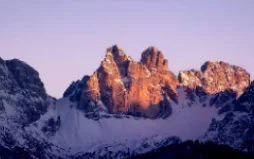
 ⌘310FA5E
- ⌘4Human Interface Guidelinesdeveloper.apple.com
- ⌘5PDFInvoice-0412.pdf
- ⌘1
Text stays readable
Rich text keeps its fonts and colours.
- ⌘2
Images keep their shape
Scaled to fit, never cropped.
- ⌘3
Colours turn into swatches
Copy a hex code, see the colour.
- ⌘4
Links show the page
With its title and preview image.
- ⌘5
Files keep their name
And paste as files in Finder.
⌘2Made for the moment
A sideboard, not a history.
New copies push older ones along. Lock what you want to keep.

- ⌘1Can you send the final icon by Friday?
- ⌘2

- ⌘3FF4F00
- ⌘4

- ⌘5

Lock it
Locked items stay, however many new copies come in.
Label it
Red, orange, blue or green, to spot it at a glance.
Keep as many as you like
The latest 50 by default. Change it in Settings.
⌘3Sequential paste
Paste in the order you need.
⌃-click cards to queue them and click one to start. Each ⌘V then pastes the next.

- 2
- 1

- 3
Frame 1
Frame 2
Frame 3
⌘4Keyboard
Hands stay on the keys.
⌘⌥V opens Snippet anywhere. Both global shortcuts can be changed in Settings.
Anywhere
- Show Snippet⌘⌥V
- Pause recording⌘⌥⇧V
In the notch
- Copy item 1 to 8⌘1…8
- Next filterTab
- Search⌘F
- Lock itemL
- Add to sequence⌃Clickor⌃↩
- Select several⇧Clickor⇧↩
⌘5Details
Small things, done right.
No notch needed
On other Macs and external displays it floats at the top of the screen.
Search inside images
It reads the text in screenshots and knows what's in a photo.
Files in Finder
Paste an item in Finder and you get a file.
In the menu bar
Your recent copies and every setting, one click away.
Pause recording
⌘⌥⇧V and Snippet stops keeping copies until you resume.
Your own shortcuts
Pick the keys that show Snippet and pause it.
⌘6Private
Stays on your Mac.
What you copy is yours. Snippet keeps it on your Mac.
On your Mac
Your copies are stored in Snippet's own storage on your Mac. Clear them any time from the menu bar.
Recognised on device
Text in images and what's in a photo come from Apple's Vision framework, on your Mac.
Online for links only
For a copied link, macOS loads the page's title and image for the preview. Nothing else goes online.
No account
No sign-up, no analytics, no tracking.

⌘8Get Snippet
Copy. Glance. Paste.
Point at the notch, and it's all there.

Mac · macOS 14.6 or later