 Shelf
ShelfPress Kit
Everything you need to write or talk about Shelf: facts, descriptions, the app icons and screenshots. You’re welcome to use all of it in your coverage.
Fact sheet
- Name
- Shelf: Book Journal & Club
- Developer
- Marco Lüthi, Zürich, Switzerland
- Category
- Books
- Platforms
- iPhone and iPad, iOS 26.2 or later. Includes an iMessage app, an App Clip and a Share extension.
- Status
- Public beta on TestFlight
- Book data
- Open Library, the open catalogue of the Internet Archive
- Sync
- Private iCloud sync between iPhone and iPad, no account. Book Clubs use iCloud sharing.
- Language
- English
- Website
- apps.marcoluthi.com/shelf
- Contact
- hi@luthi-mar.co
About Shelf
In one sentence
Shelf is a book tracker for iPhone and iPad: the books you’re reading, the ones up next, the ones you’d like to own and the ones you’ve finished stand spine out on four shelves, and private Book Clubs on iCloud let friends share the books worth talking about and recommend books to each other.
Longer
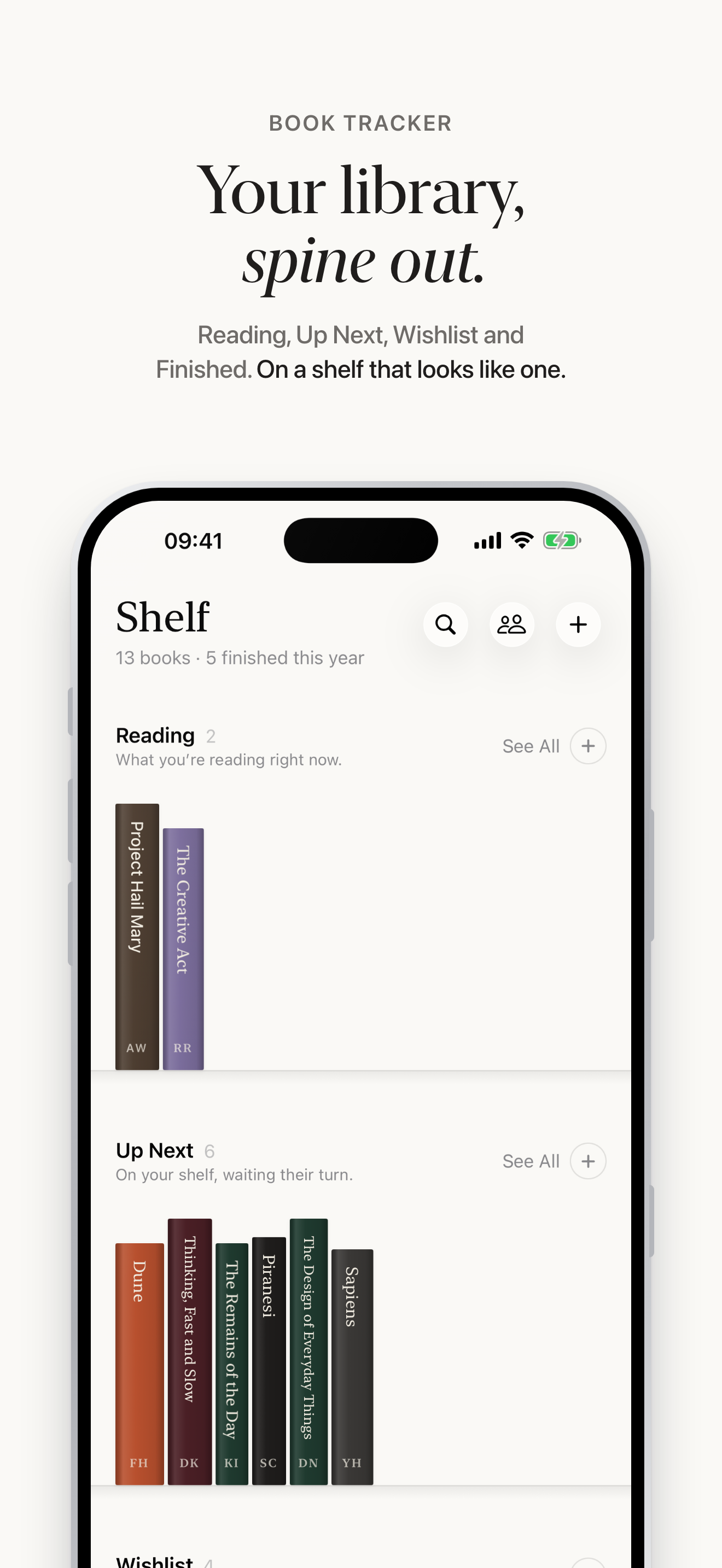
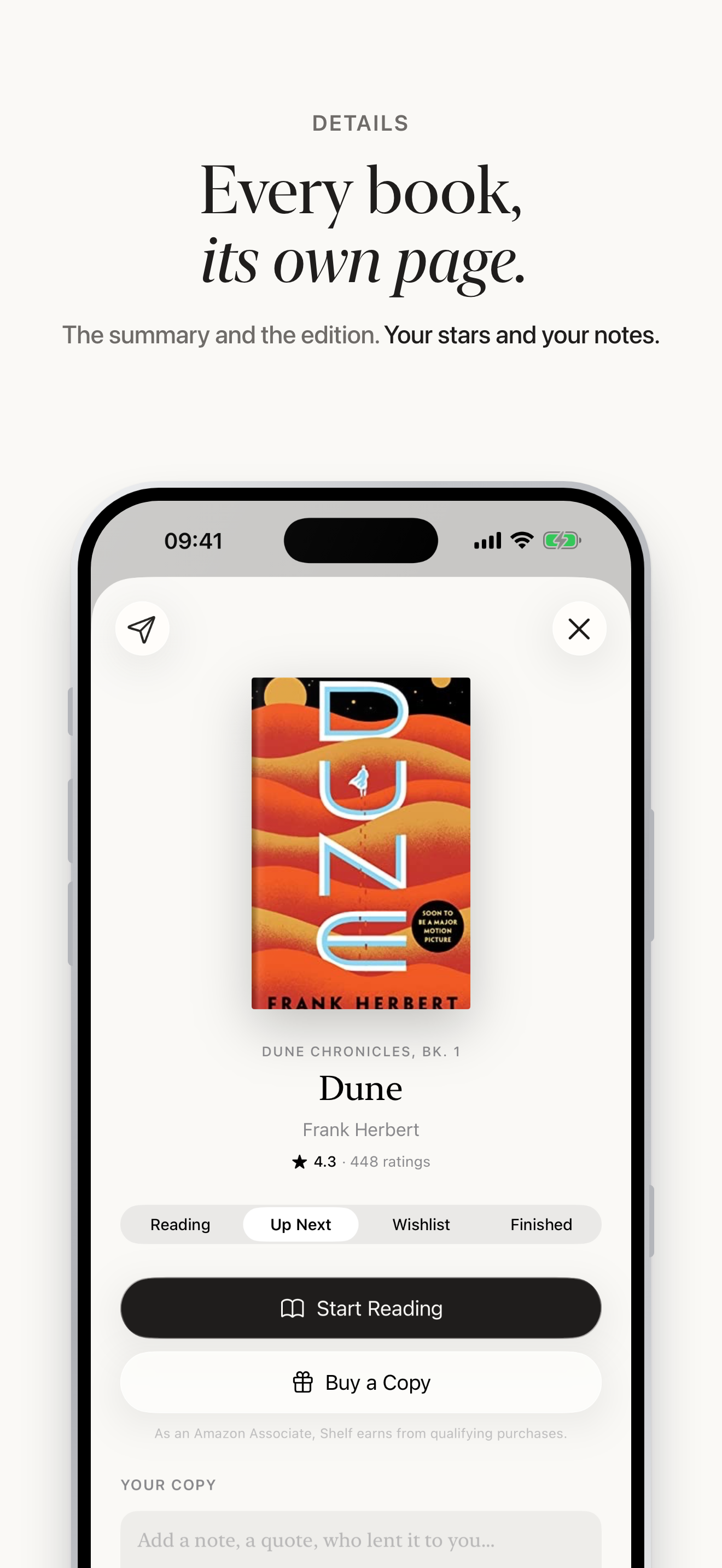
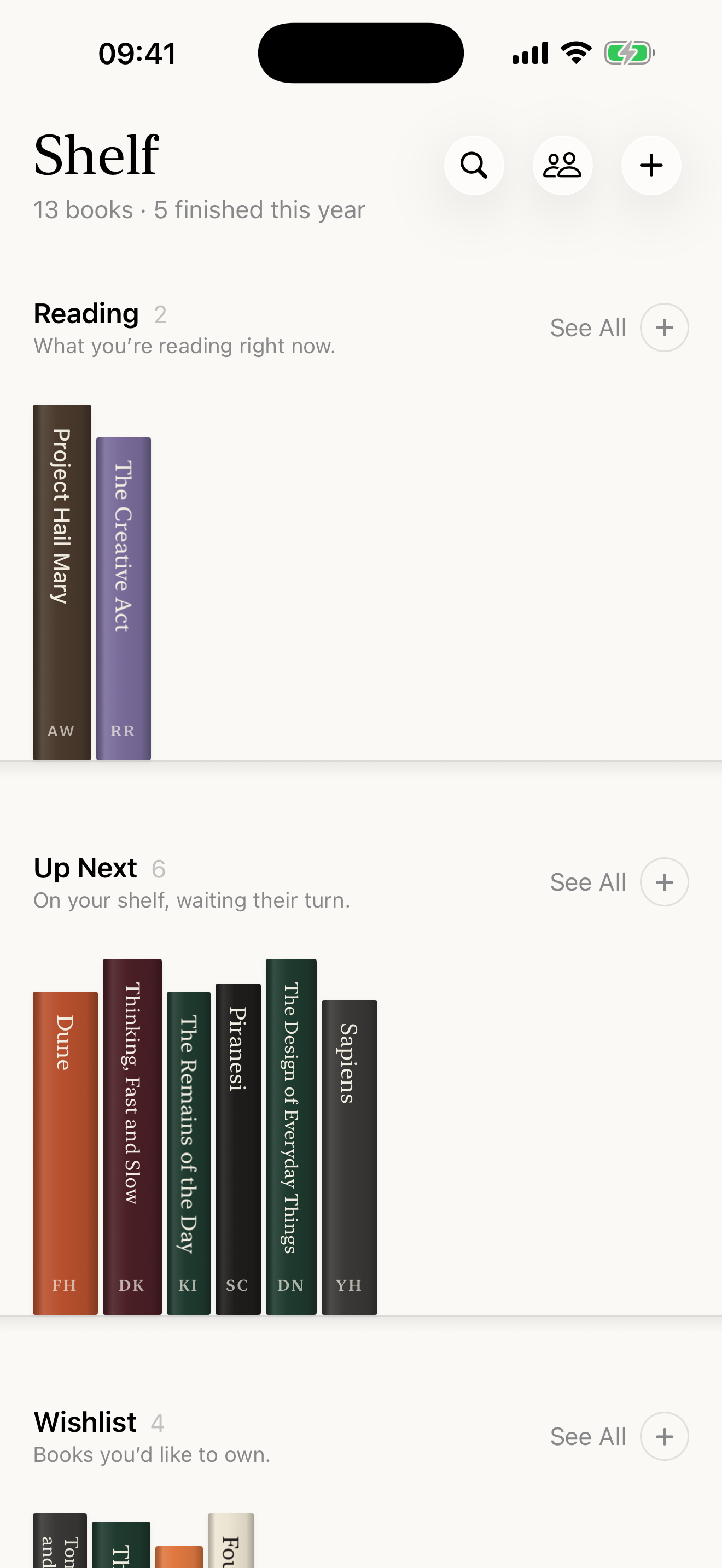
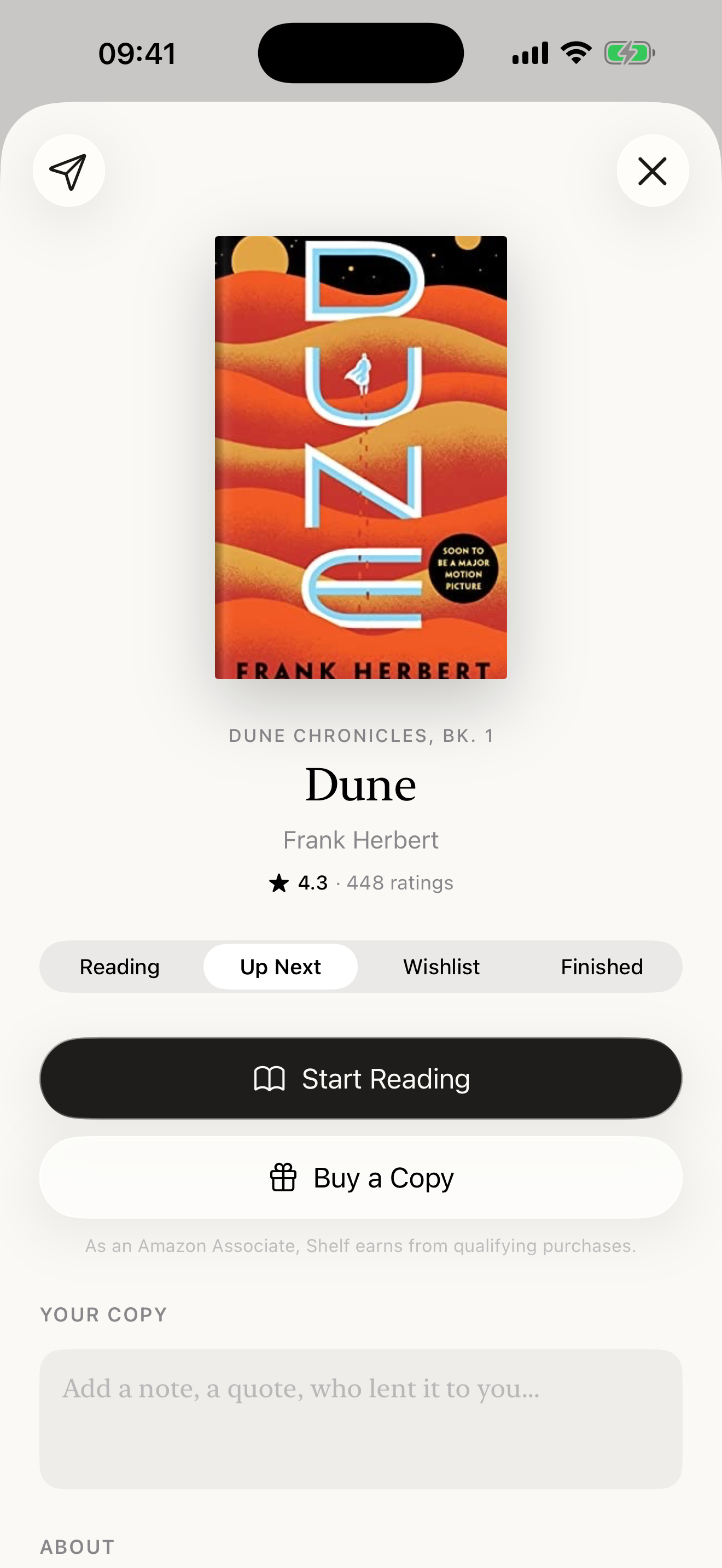
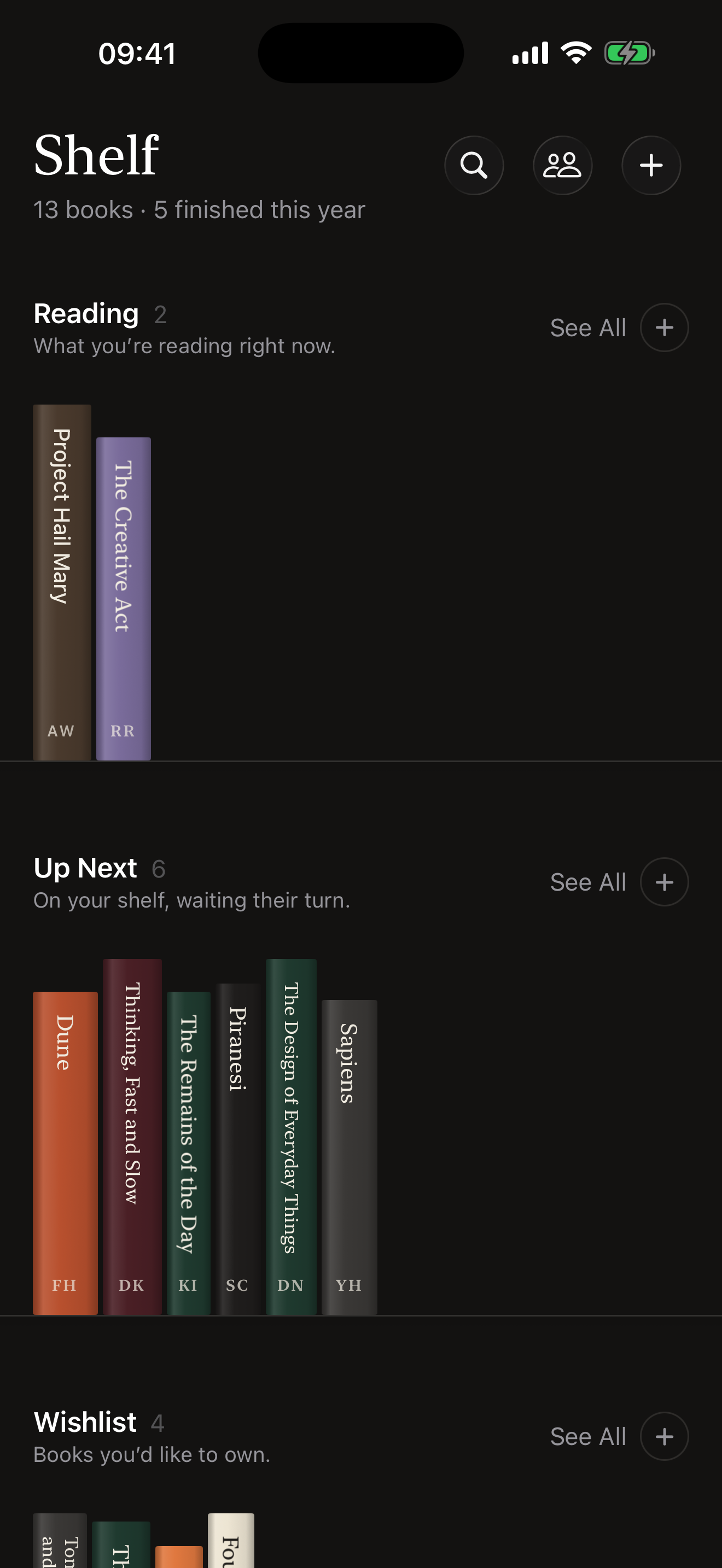
Shelf is a quiet place for your books. The one you’re reading, the ones up next, the ones you’d like to own and the ones you’ve finished stand spine out on four shelves: Reading, Up Next, Wishlist and Finished. Tap a book and it turns to show its cover; tap again for its page, with the summary, the edition, what other readers think, and your own half-star ratings and notes. Each spine is lettered to match its cover, in a serif or sans-serif face that Shelf reads from the cover on the device.
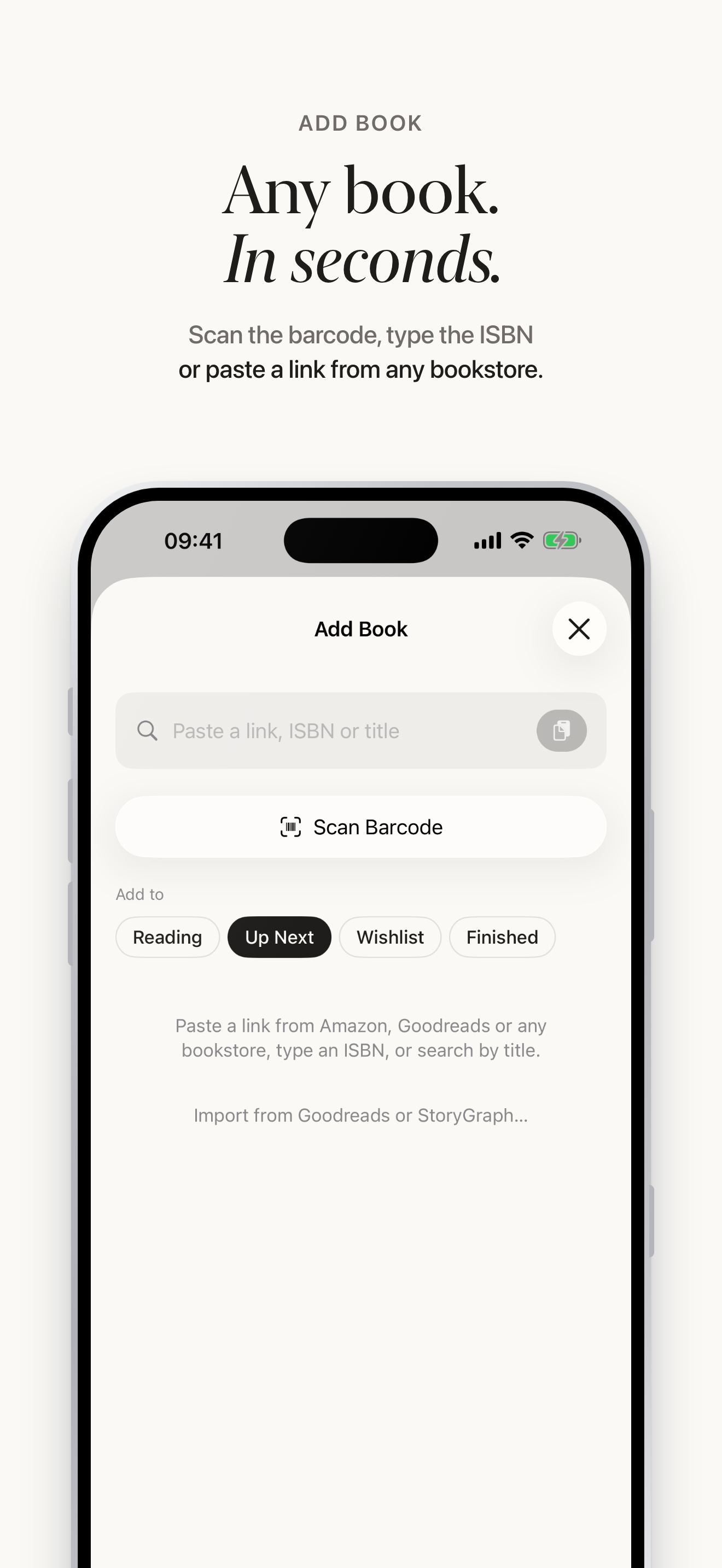
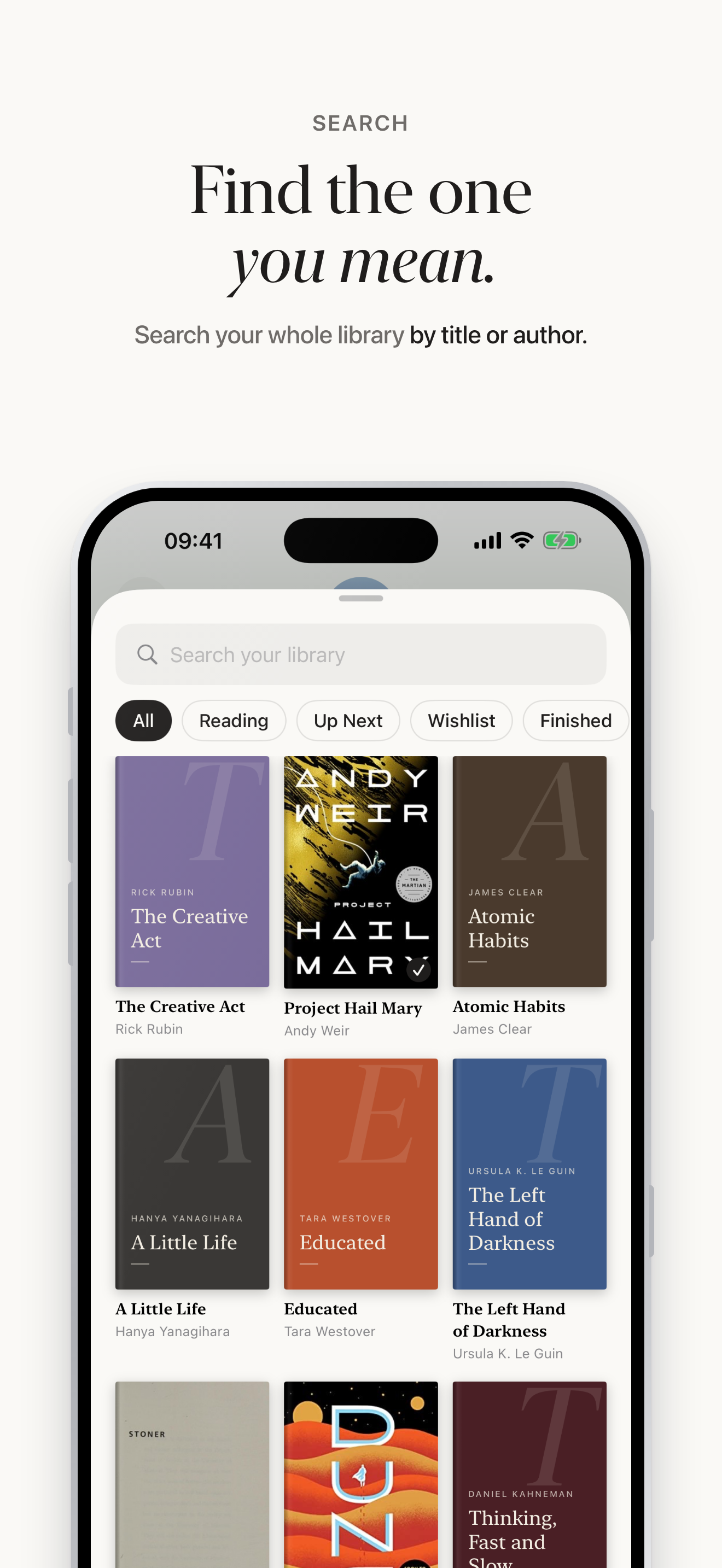
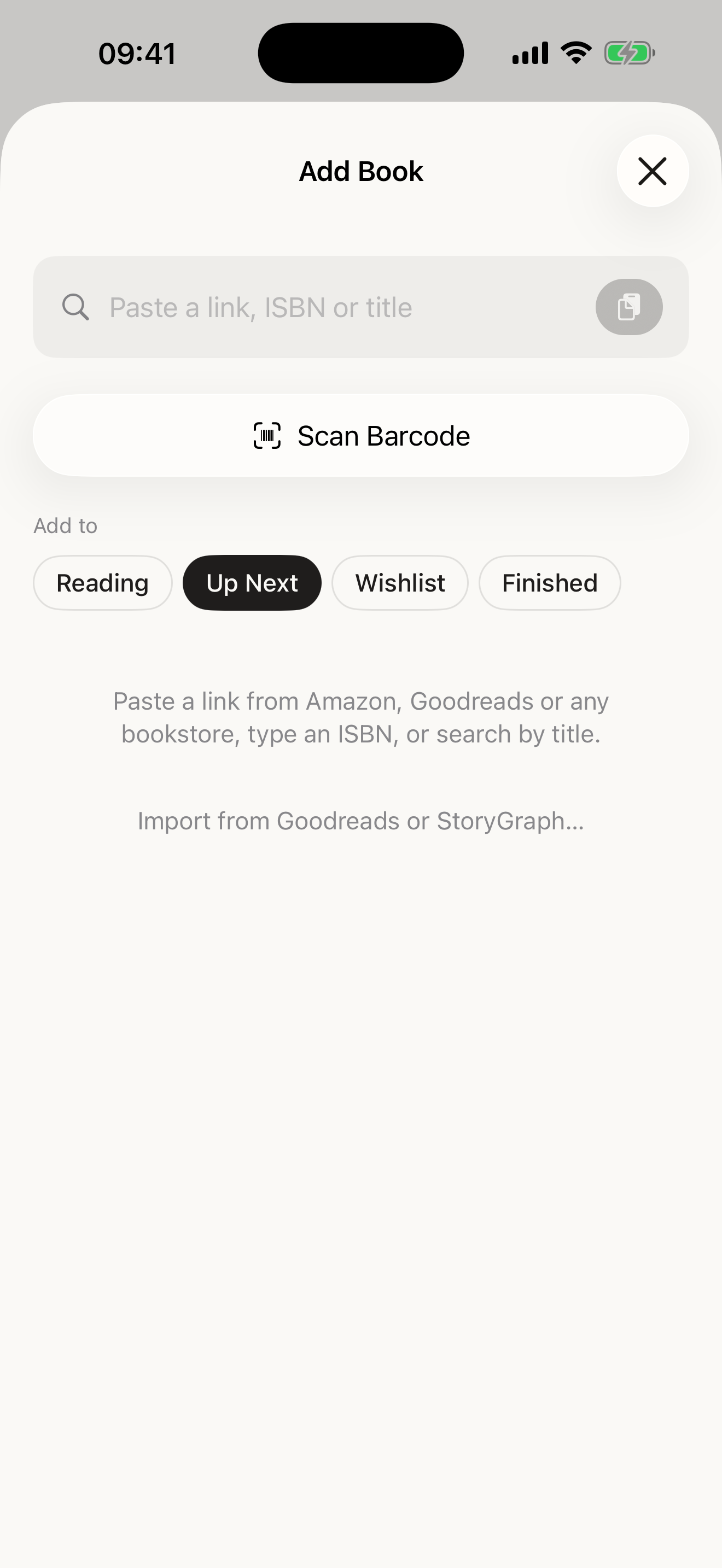
Adding a book takes seconds: scan the barcode, paste a link from Amazon, Goodreads or any bookstore, type an ISBN or search by title or author. Books can also be shared into Shelf from Safari, and a whole library imported from Goodreads or StoryGraph. Book details come from Open Library.
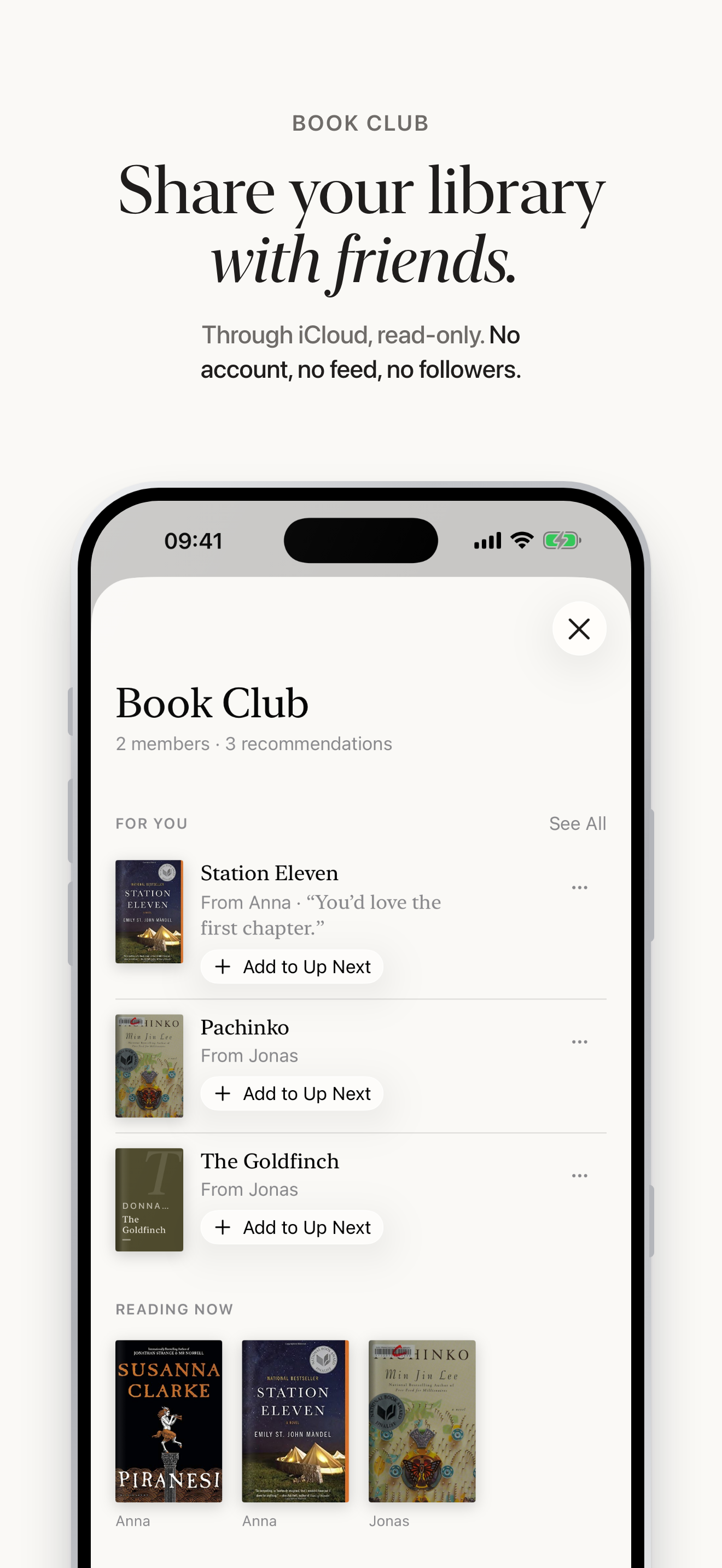
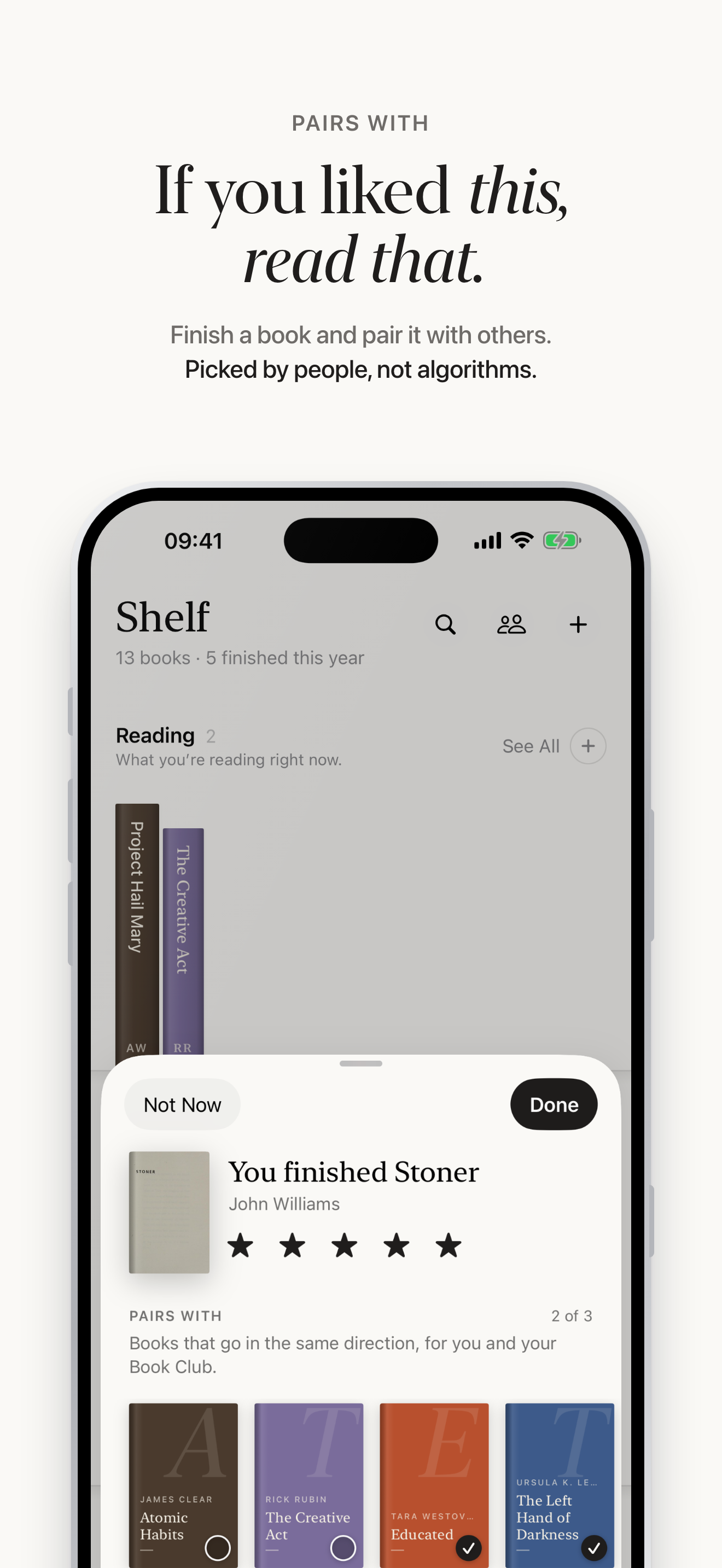
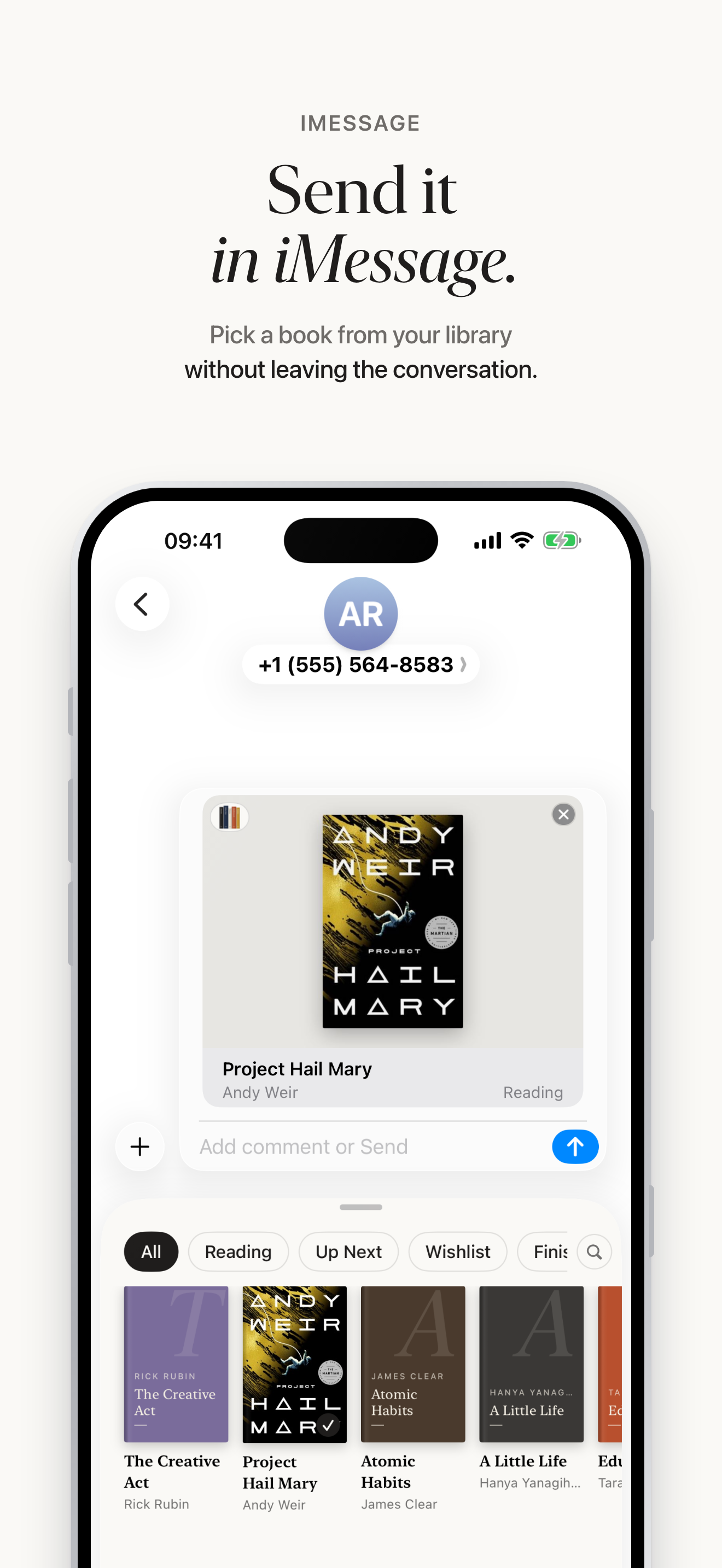
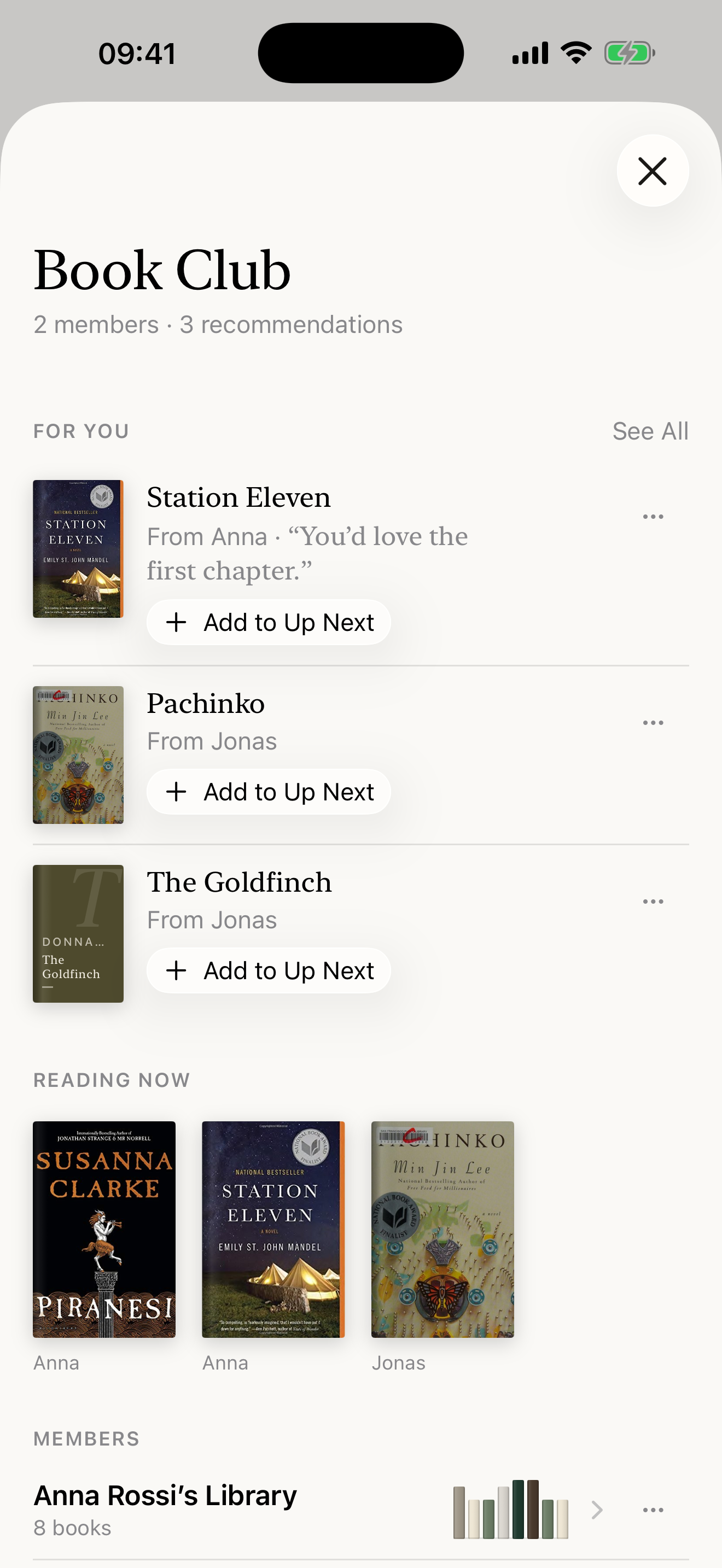
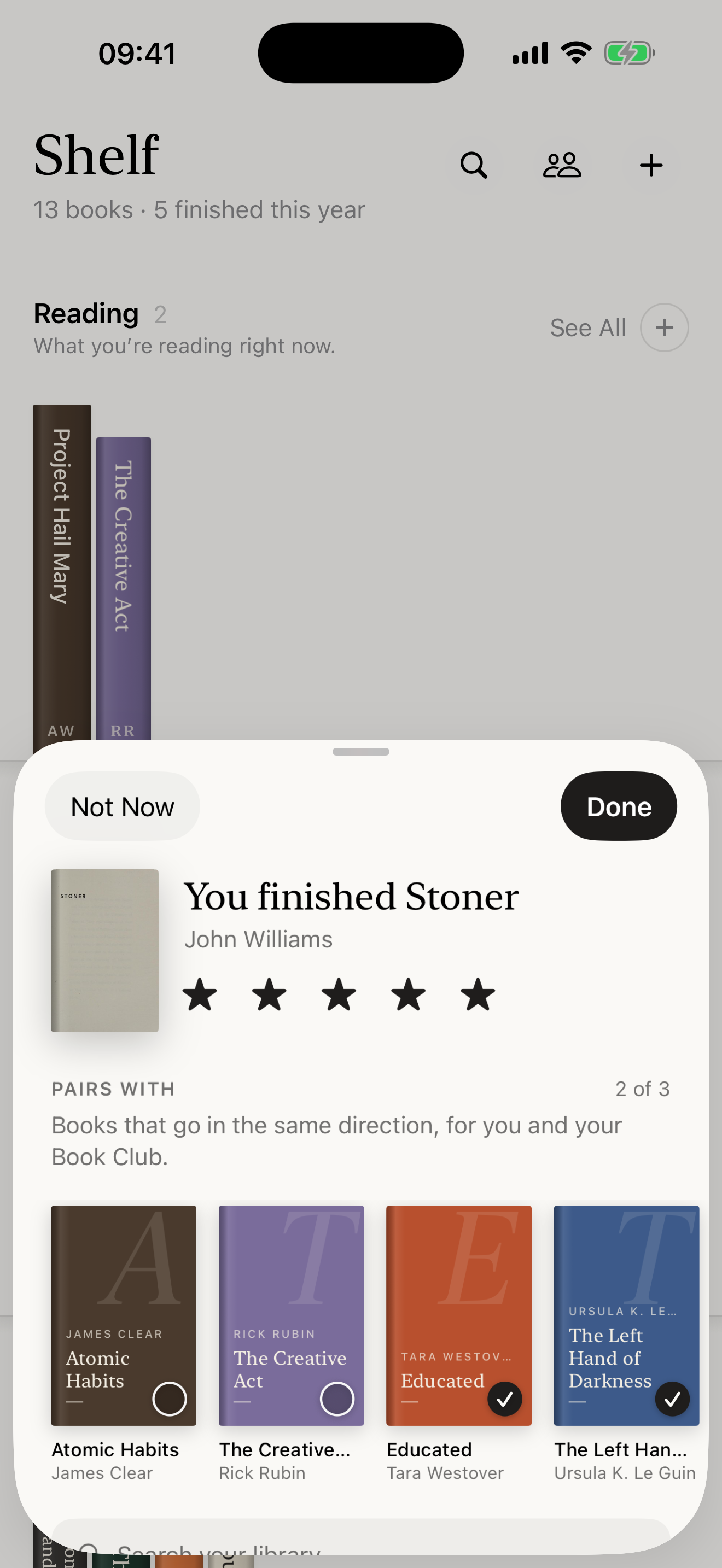
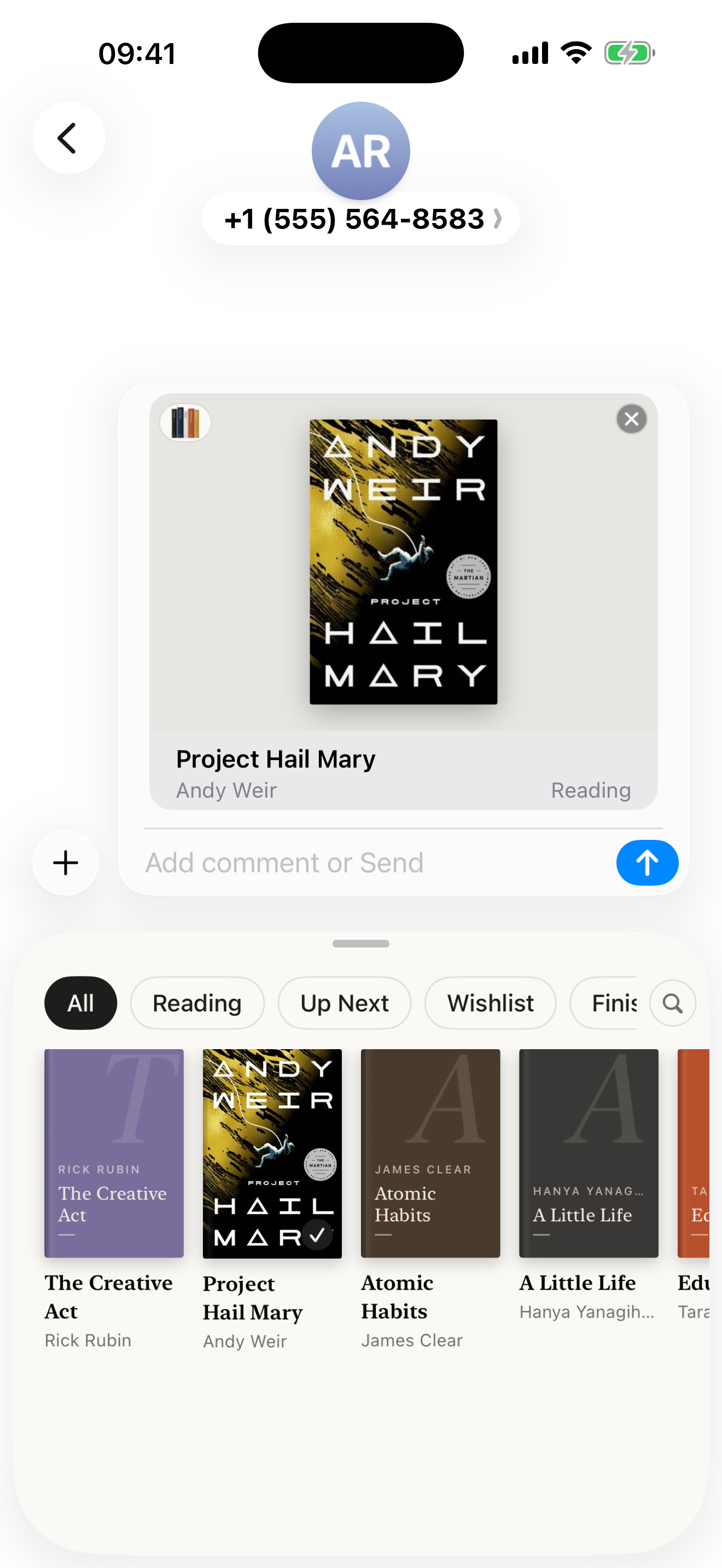
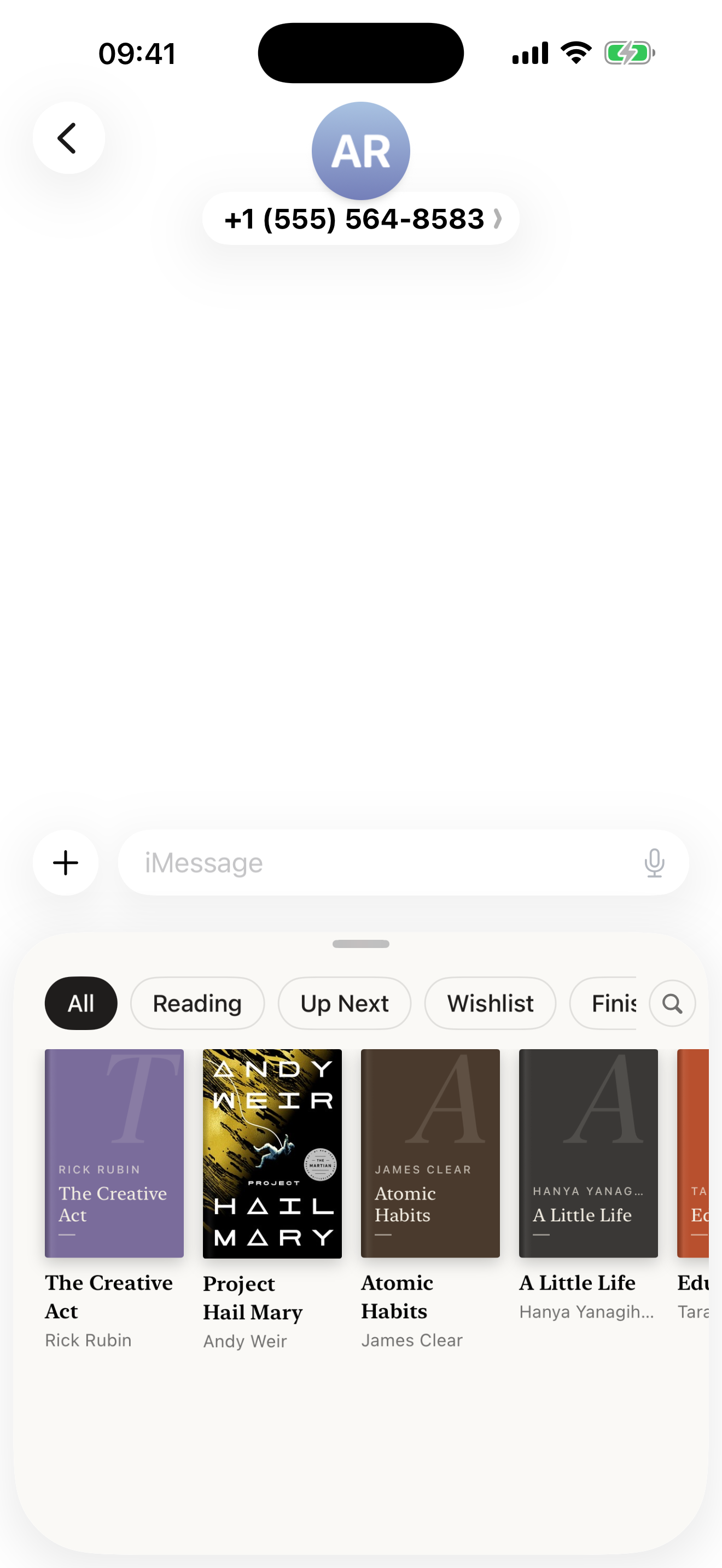
Book Club brings friends in without a social network. Anyone can start a club for the people they read with, and one link brings them in. Each member chooses the books worth talking about, with their stars and a line, and the rest of their library stays private; when two people love the same book, it shows once, with both their words. Members recommend books to each other, and when someone finishes a book, Shelf asks for their stars and up to three books that go in the same direction, which shape what friends find in For You. A book can also be sent to anyone as a link, or from Shelf’s iMessage app without leaving the conversation.
Features
- Four shelves: Reading, Up Next, Wishlist and Finished, with books spine out
- Tap a book to turn it to its cover; spines lettered to match each cover
- Barcode scanner, bookstore links, ISBN and title search
- Share books in from Safari, Amazon or Goodreads; import from Goodreads or StoryGraph
- A page for every book: summary, edition, community ratings, your half-star ratings and notes
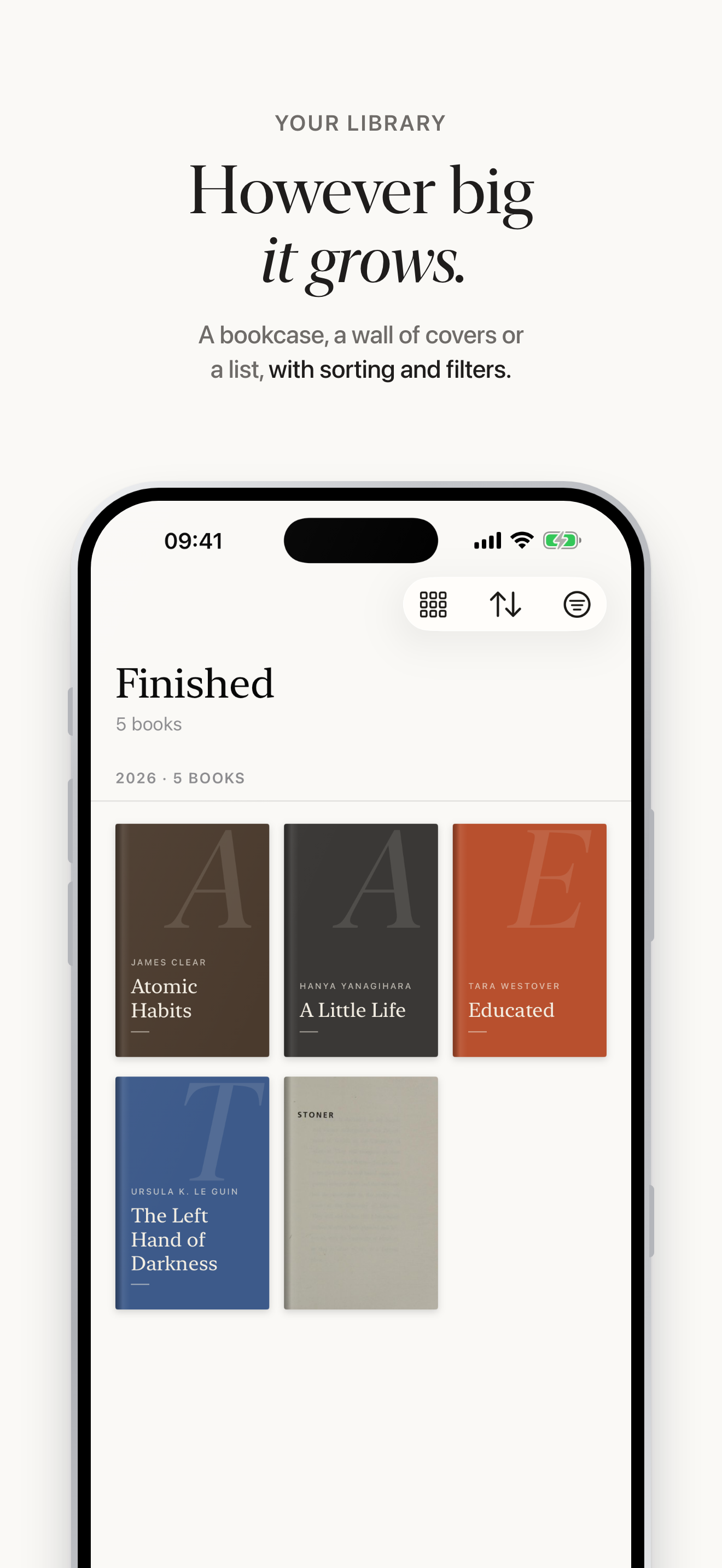
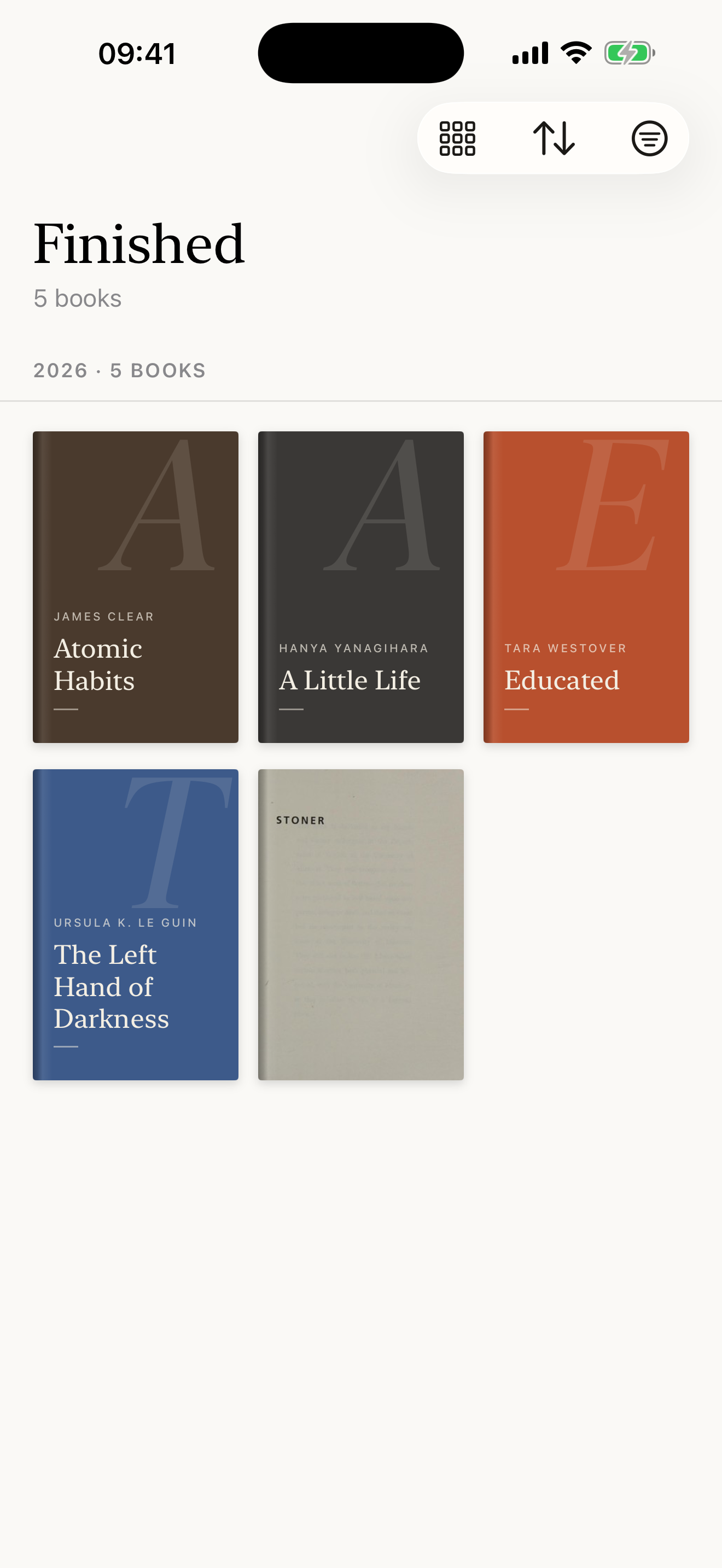
- See All: a whole shelf as a bookcase, a wall of covers or a list, with sorting and filters
- Book Clubs on iCloud: one link per club, and only the books each member picks, with a line
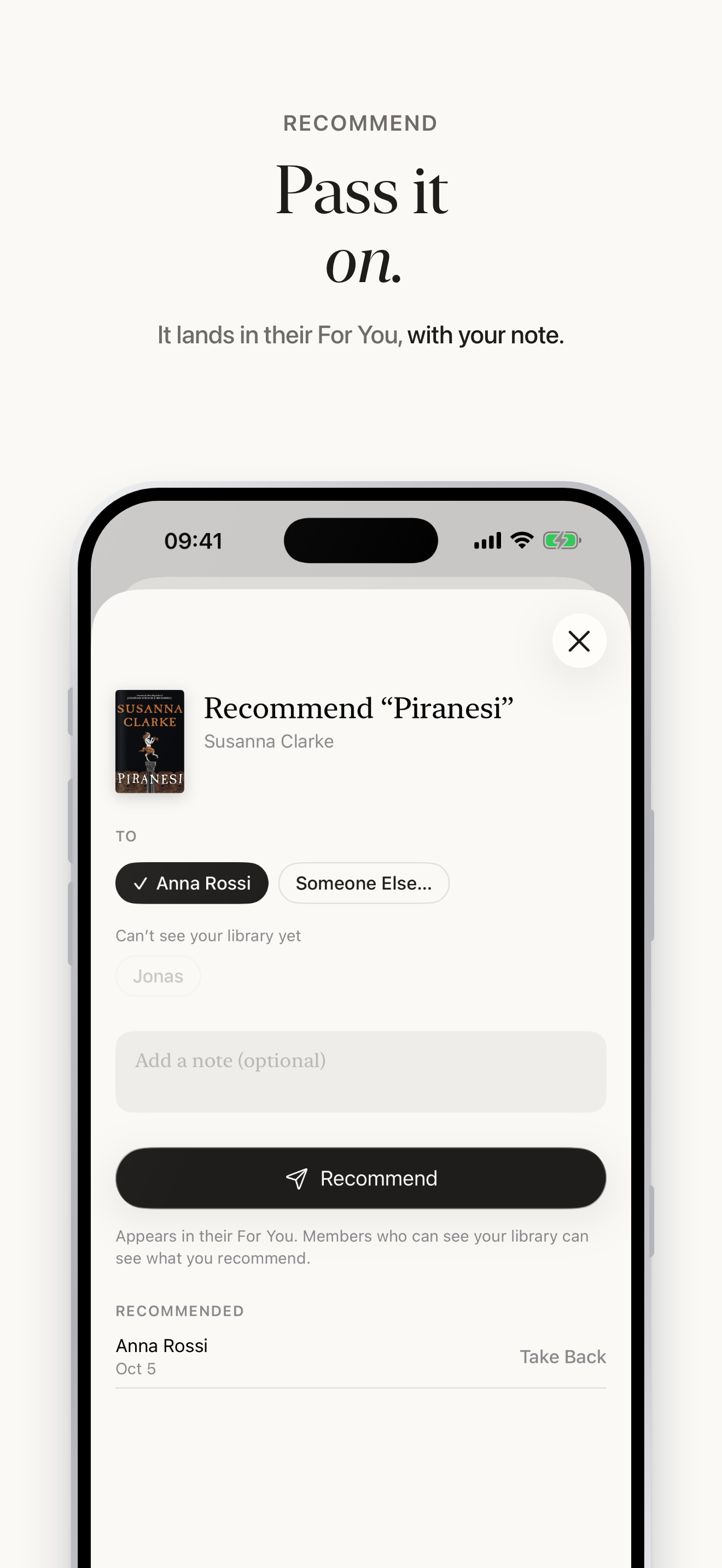
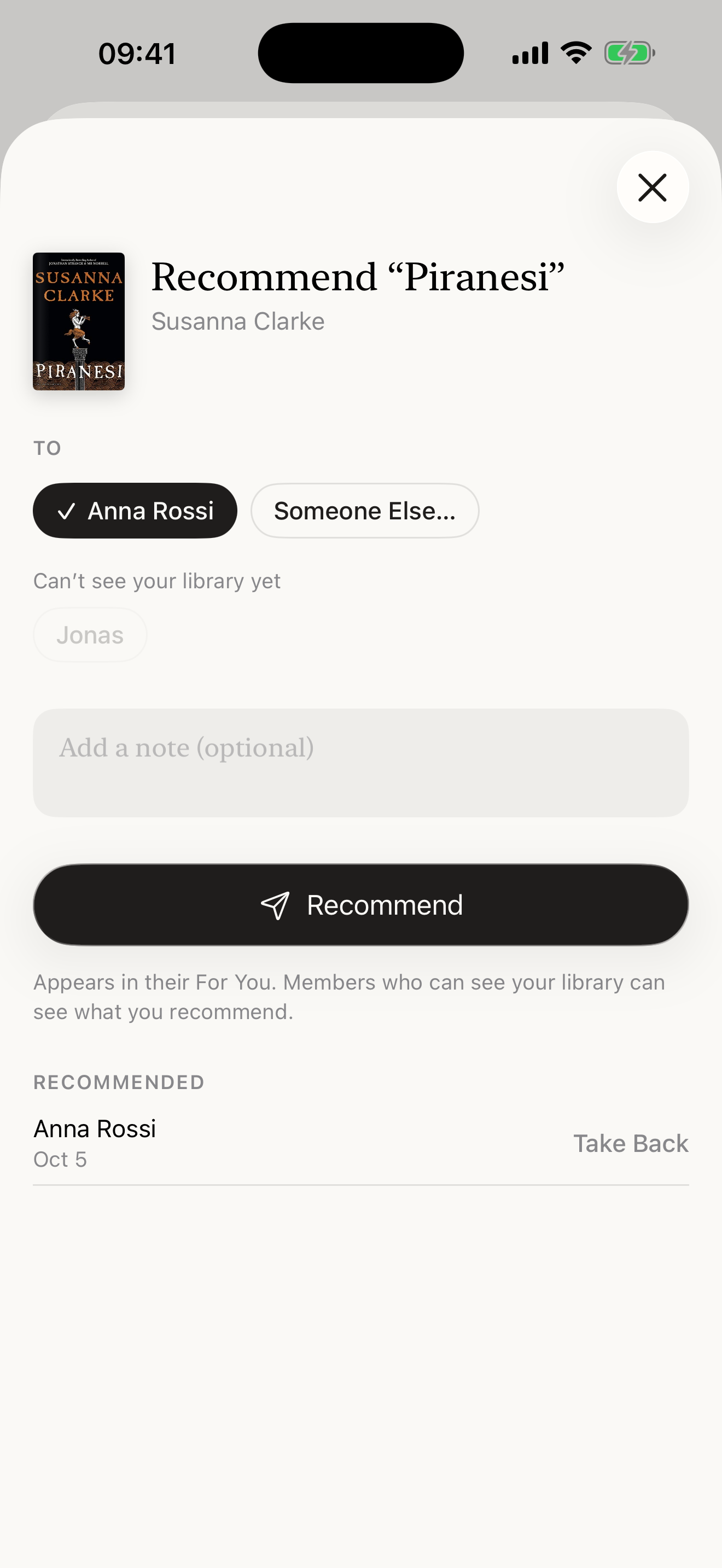
- Recommend to members with a note, or send a book to anyone as a link
- Pairs With: up to three books to read after one you finished
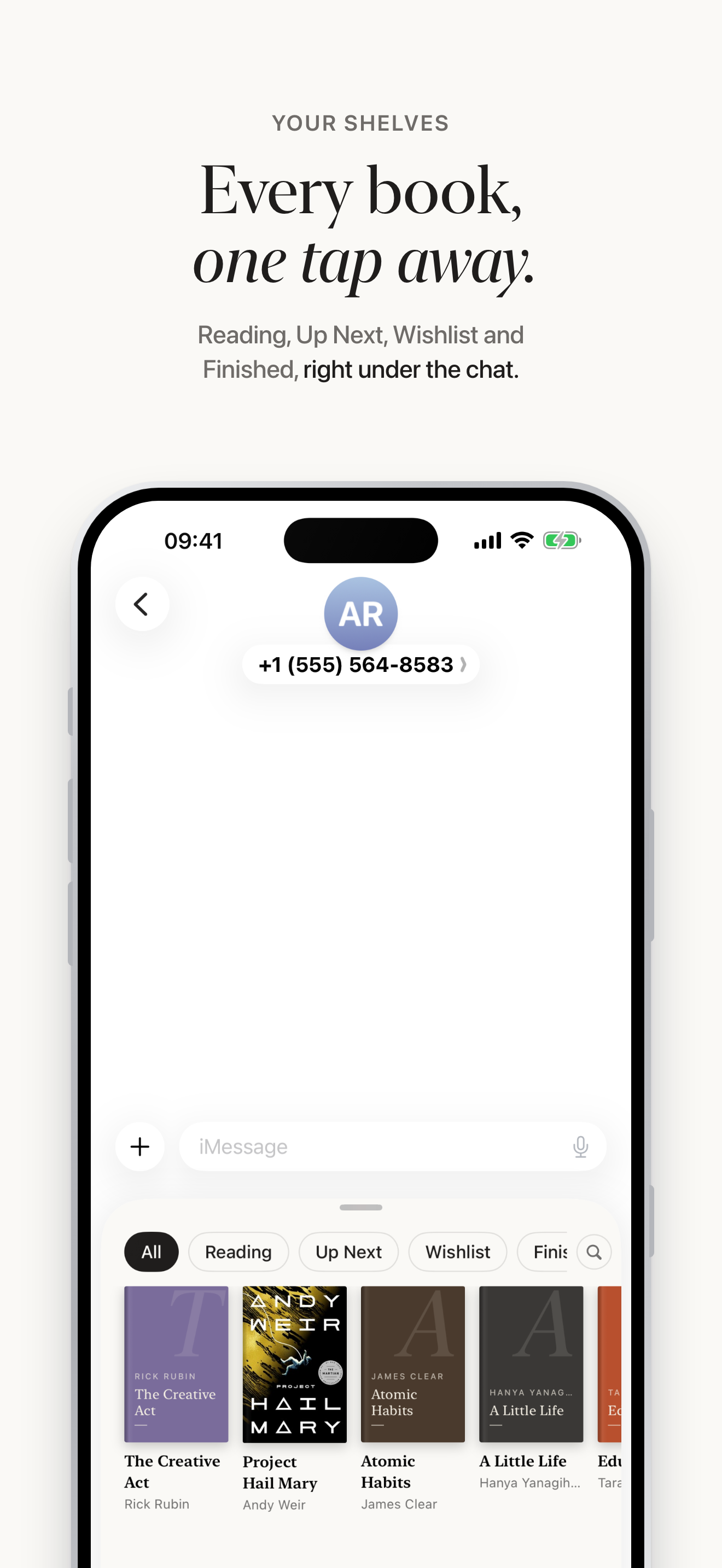
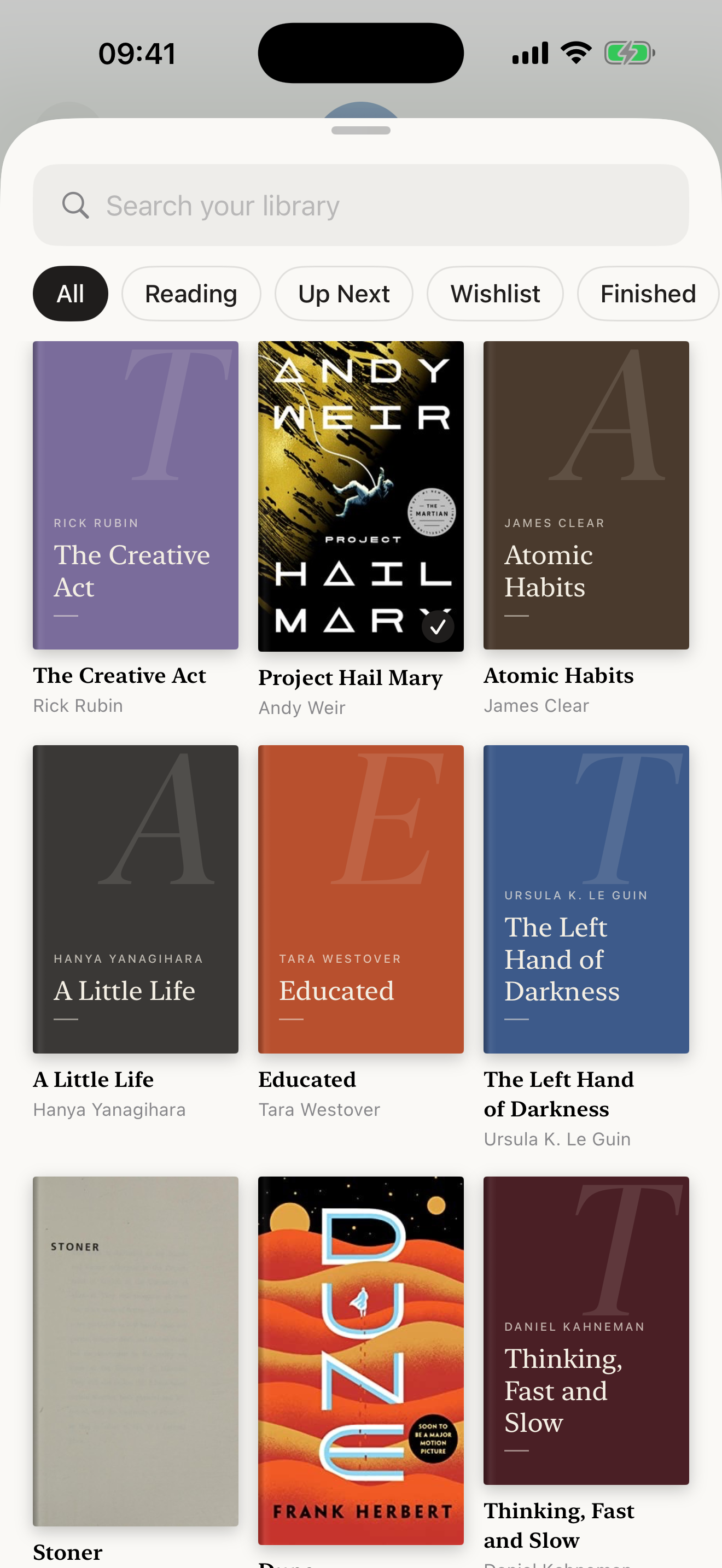
- An iMessage app to send a book from your library inside a conversation
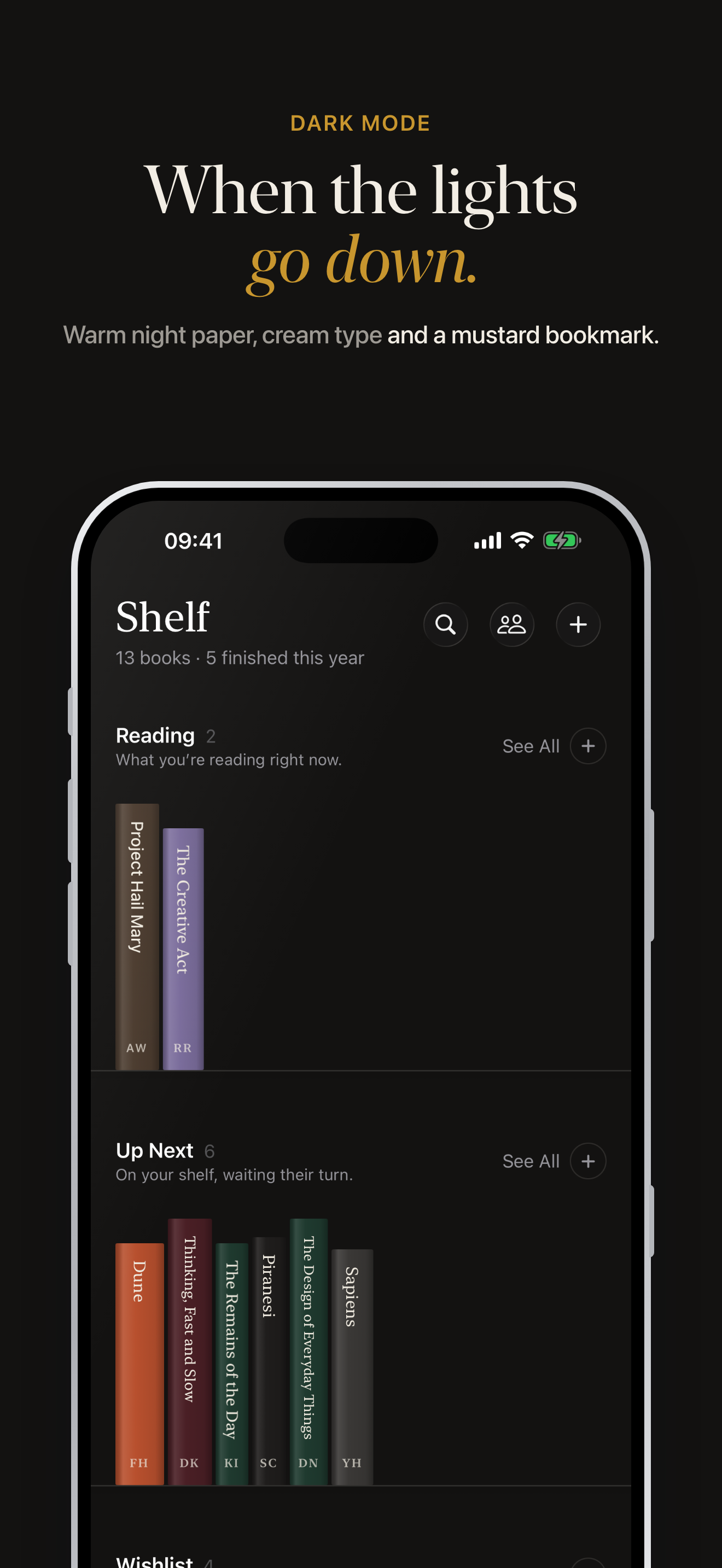
- Dark mode with warm night paper
- Private iCloud sync between iPhone and iPad, no account
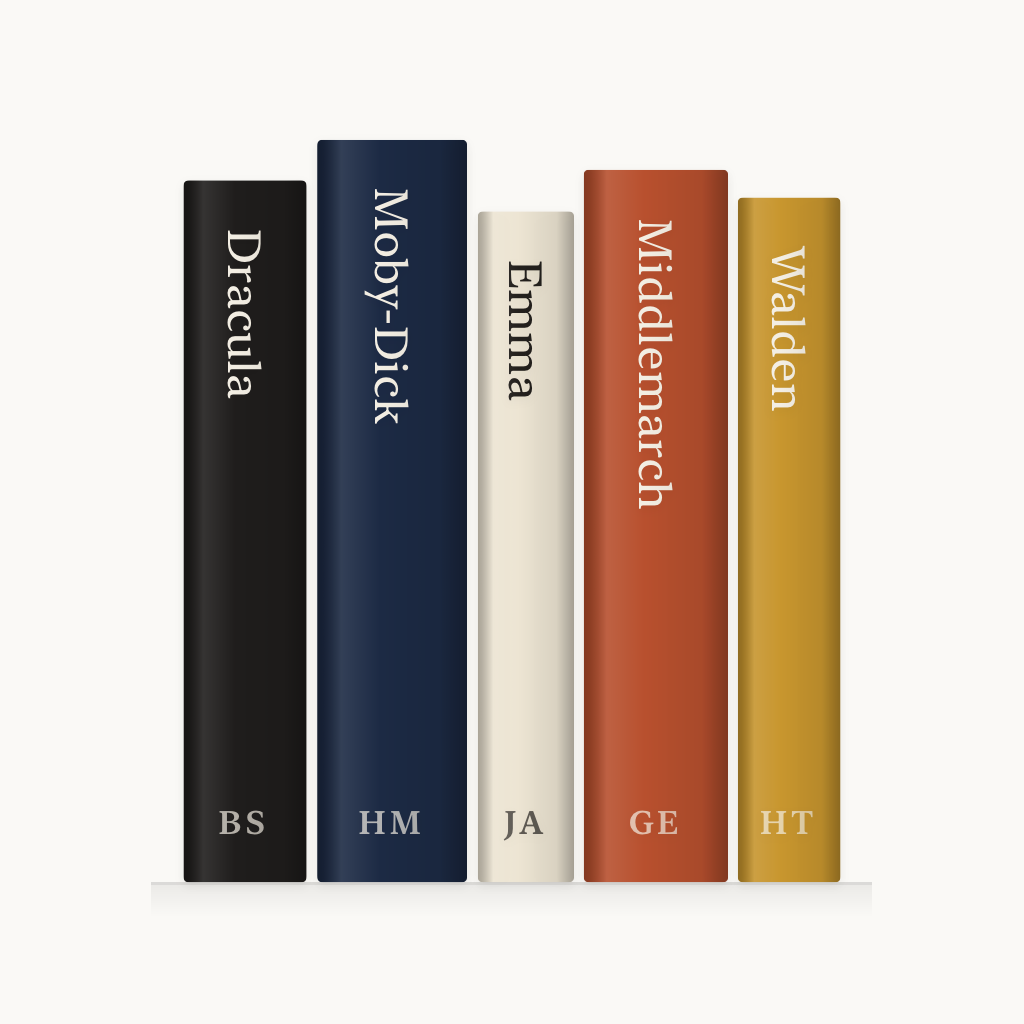
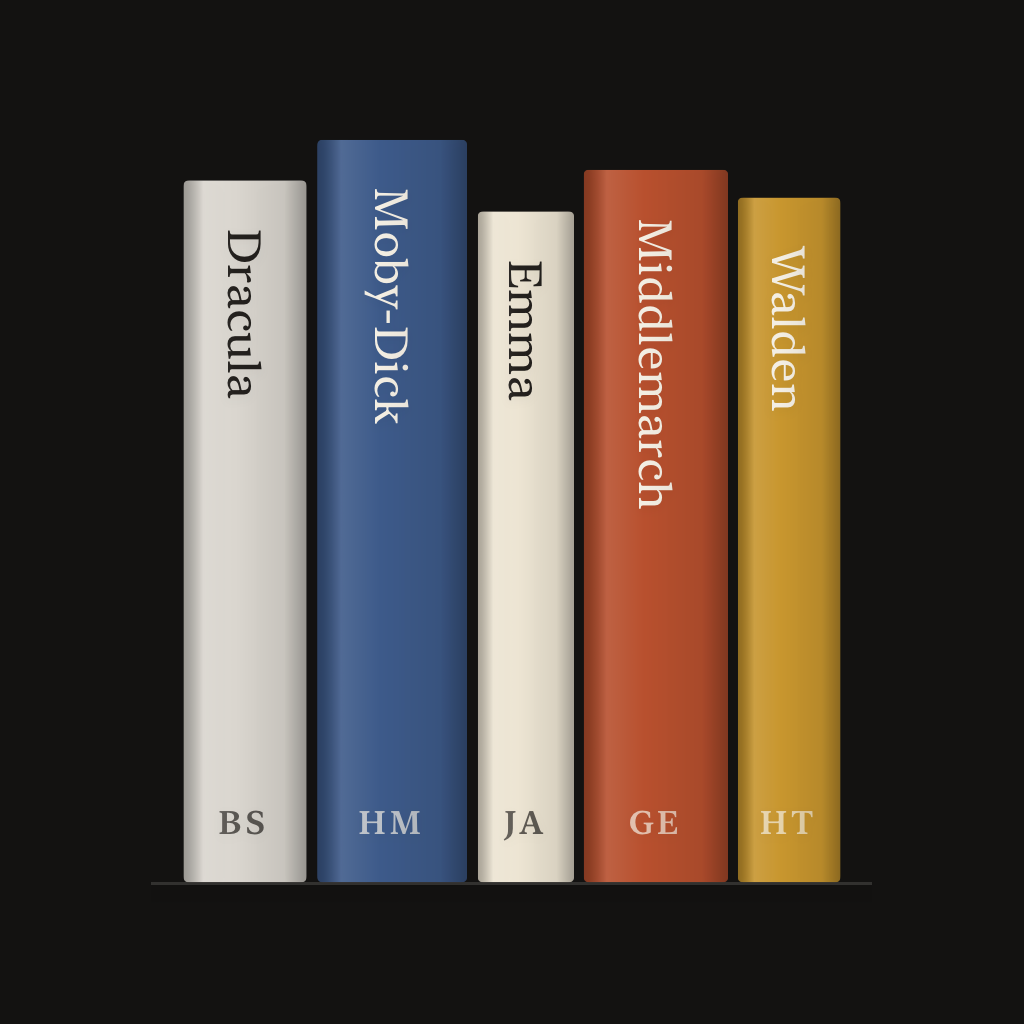
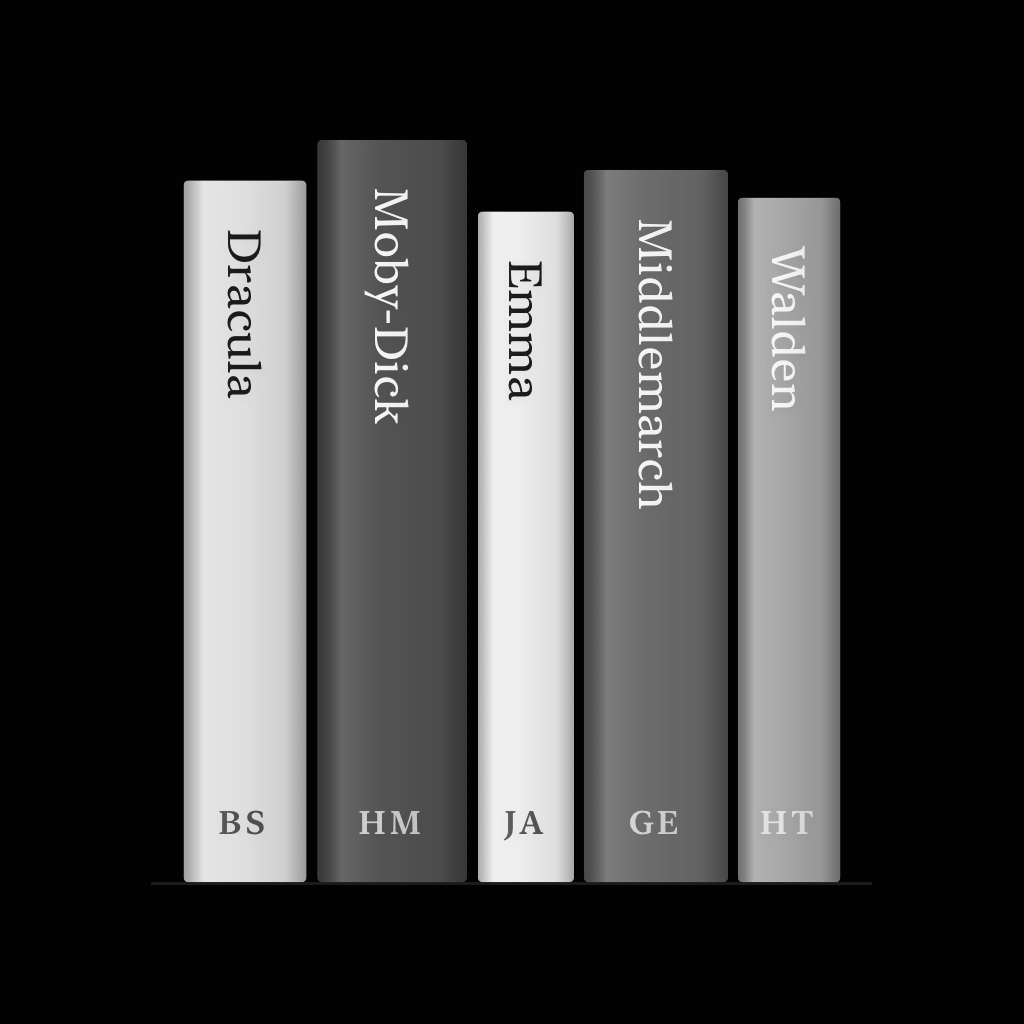
App icon
Please use the app icon as it is, without changing its colours or proportions.
App Store screenshots
The iPhone set with captions. The iPad set (2064 × 2752) is in the ZIP.
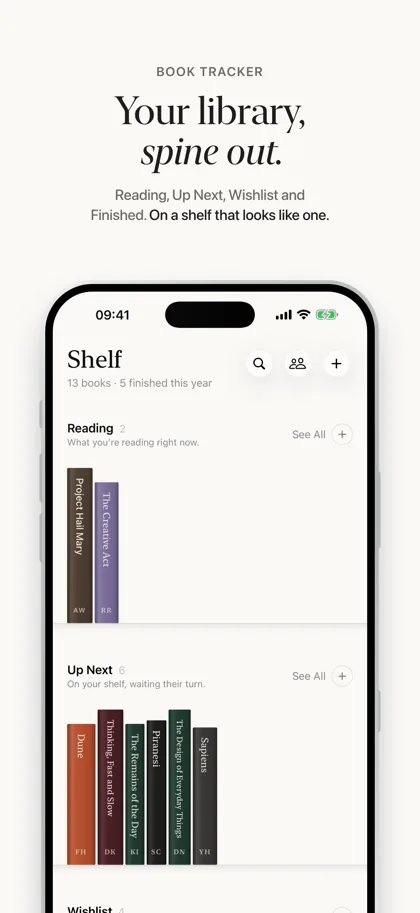 01 · Your library, spine out.1320 × 2868 PNG · 440 KB
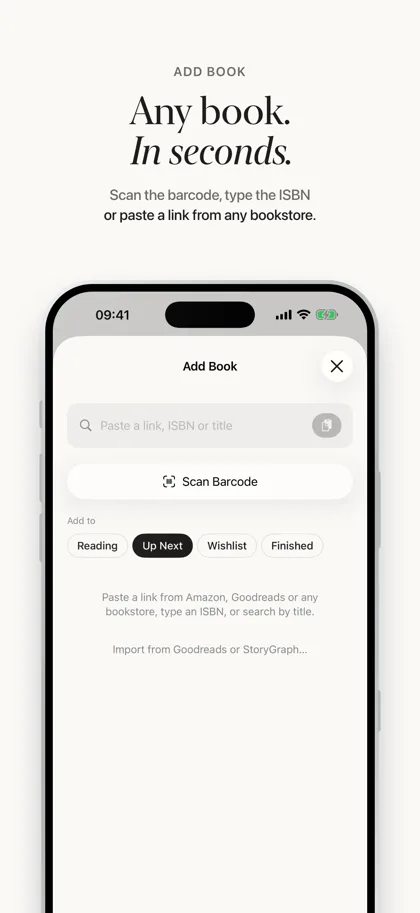 02 · Any book. In seconds.1320 × 2868 PNG · 295 KB
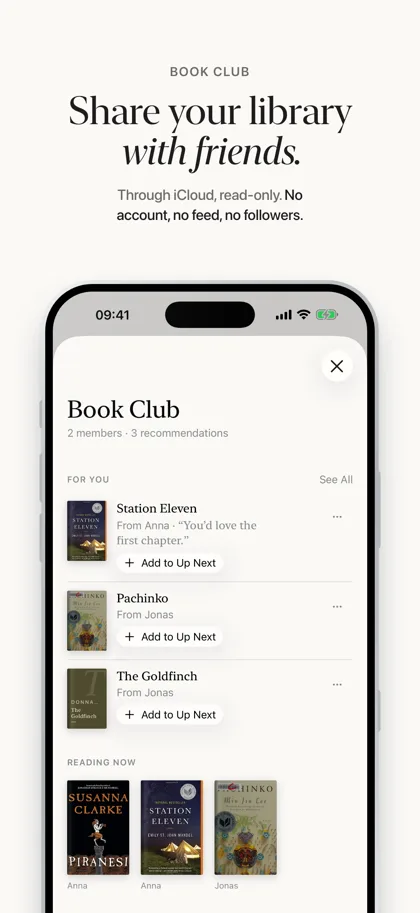 03 · Share your library with friends.1320 × 2868 PNG · 723 KB
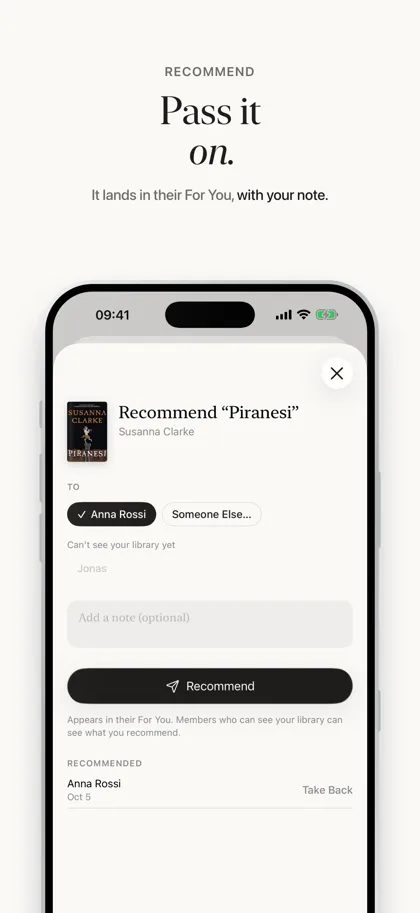 04 · Pass it on.1320 × 2868 PNG · 327 KB
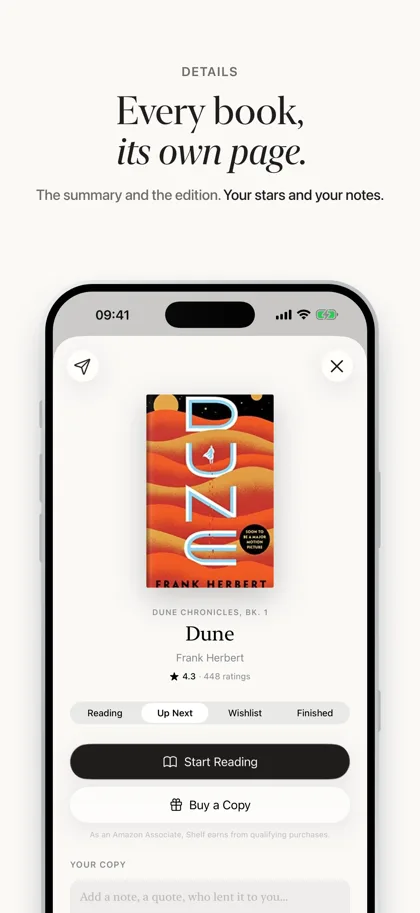 05 · Every book, its own page.1320 × 2868 PNG · 588 KB
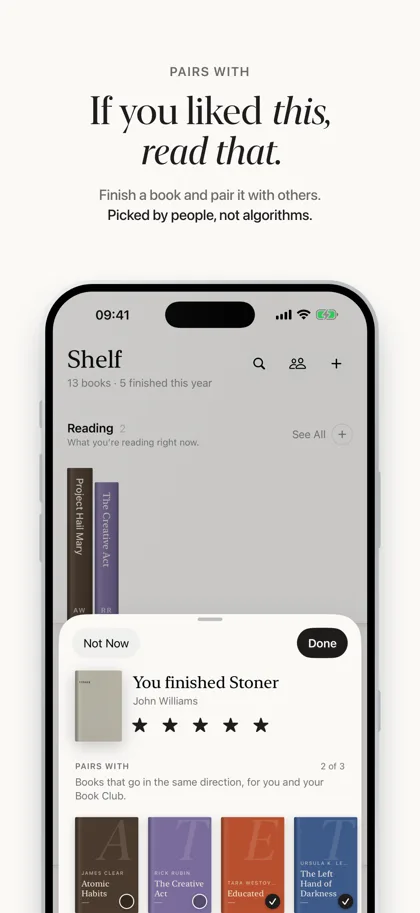 06 · If you liked this, read that.1320 × 2868 PNG · 519 KB
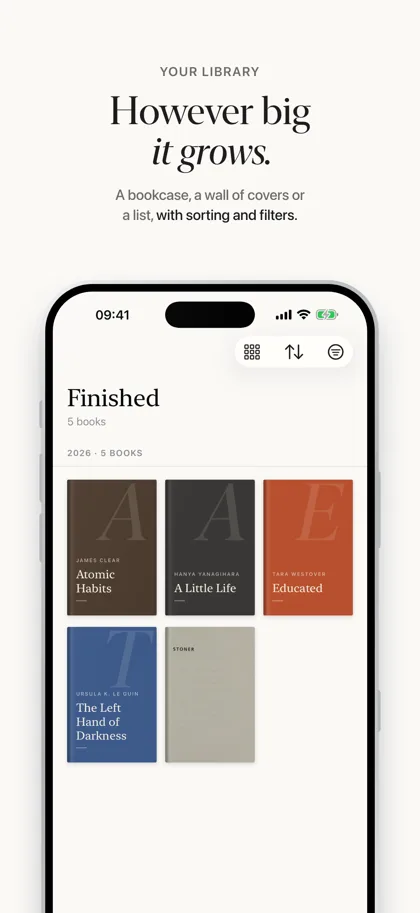 07 · However big it grows.1320 × 2868 PNG · 393 KB
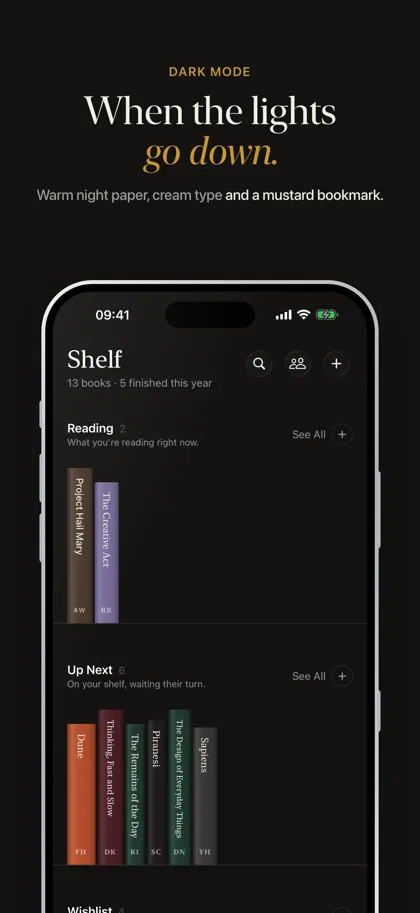 08 · When the lights go down.1320 × 2868 PNG · 498 KB
iMessage
Shelf’s iMessage app on iPhone. The iPad set is in the ZIP.
Screens
Full-screen iPhone captures without captions, of the app’s sample library. iPad captures are in the ZIP. The book covers belong to their publishers; please use these images to show the app.
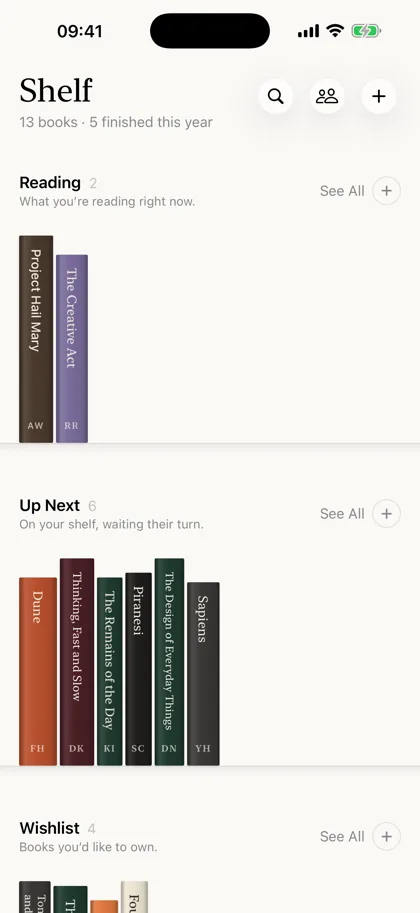 The library: four shelves, books spine out1320 × 2868 PNG · 702 KB
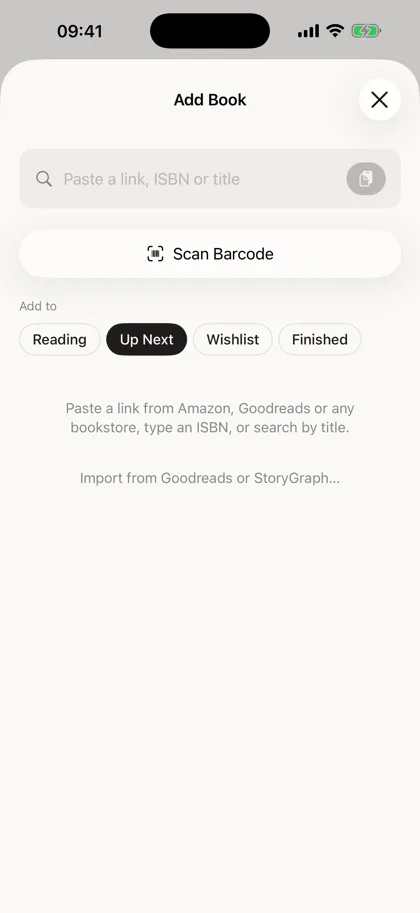 Add Book: scan, paste a link or search1320 × 2868 PNG · 225 KB
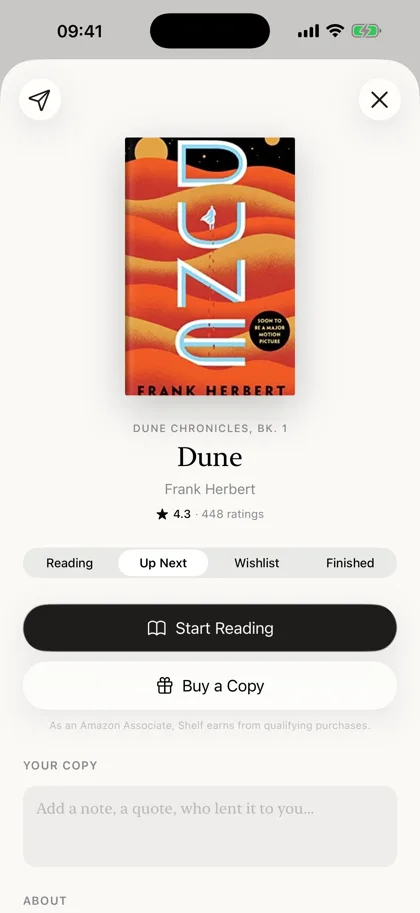 A book’s page: Dune1320 × 2868 PNG · 856 KB
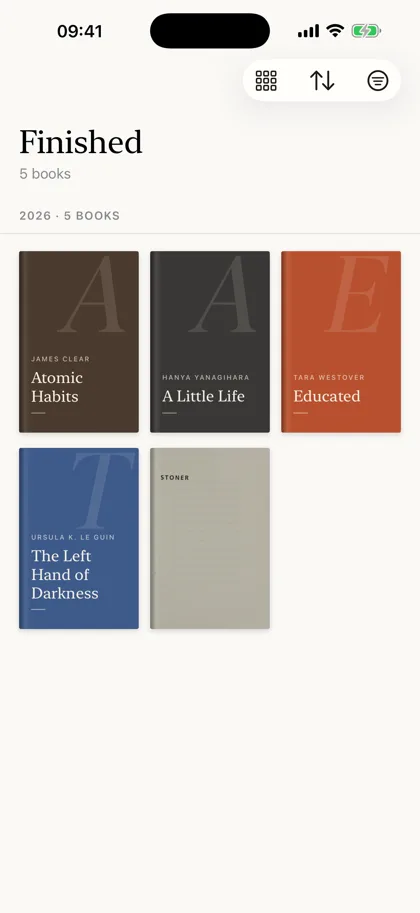 See All: the Finished shelf as covers1320 × 2868 PNG · 439 KB
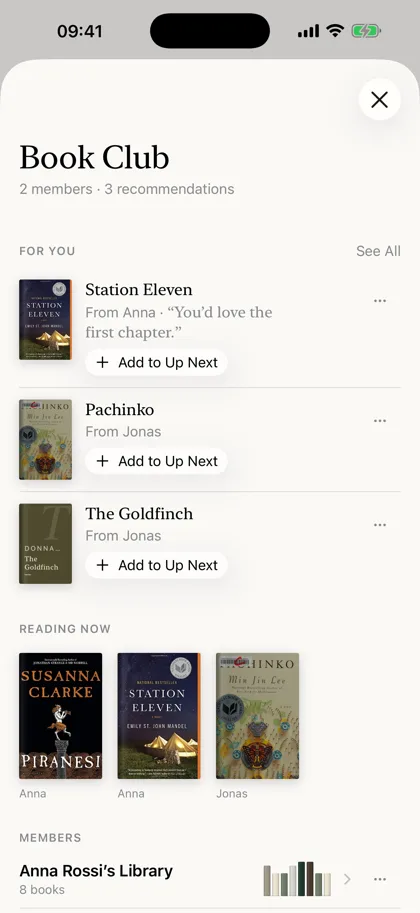 Book Club: For You and the clubs1320 × 2868 PNG · 1.2 MB
 Recommending a book to a member1320 × 2868 PNG · 321 KB
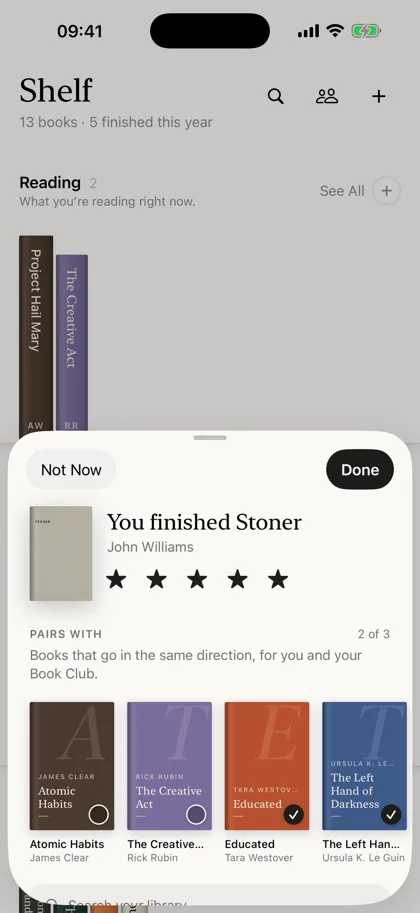 Finishing a book: stars and Pairs With1320 × 2868 PNG · 693 KB
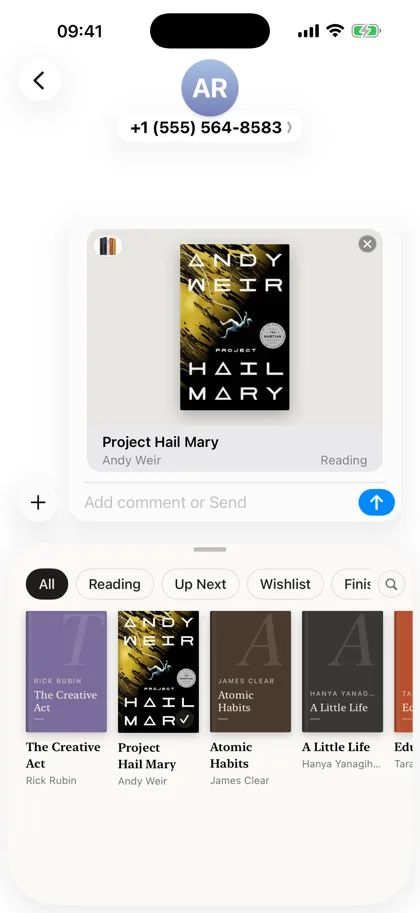 iMessage: a book in the message field1320 × 2868 PNG · 866 KB
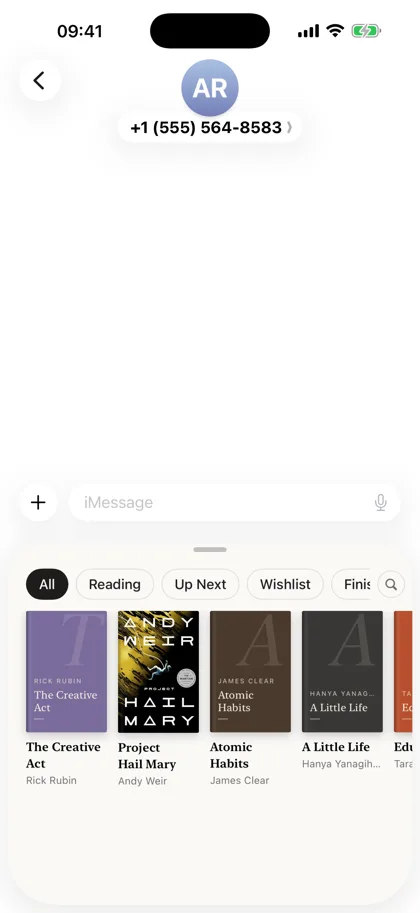 iMessage: the library in the drawer1320 × 2868 PNG · 542 KB
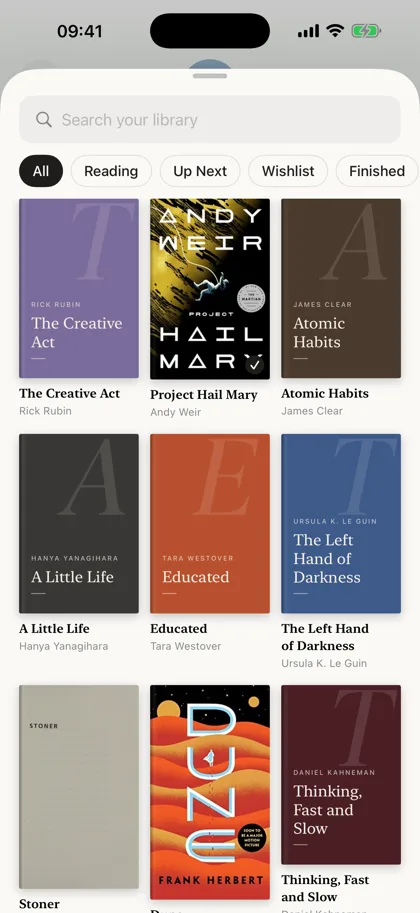 iMessage: the whole library, with search1320 × 2868 PNG · 1.3 MB
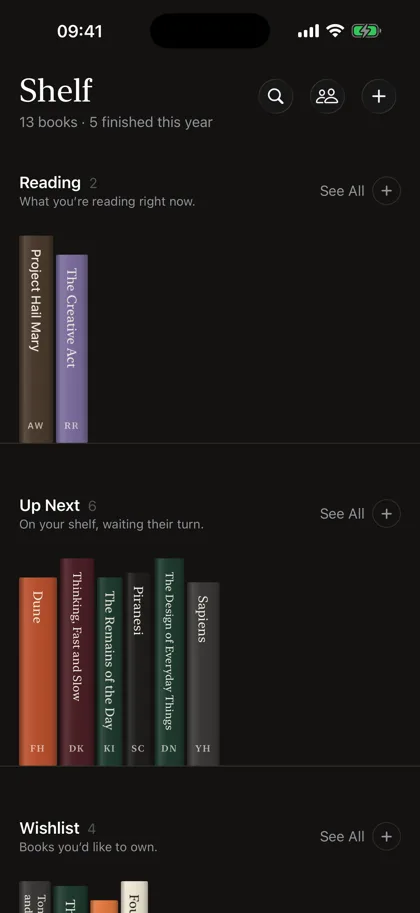 The library in dark mode1320 × 2868 PNG · 676 KB
About the developer
Shelf is made by Marco Lüthi, an independent developer in Zürich who builds apps for iPhone and Mac. For interviews, beta access or anything else, write to hi@luthi-mar.co. More about Book Club is on its own page, and more apps are on the overview.