 Annotate Audio
Press Kit
Everything you need to write or talk about Annotate Audio: facts, descriptions, the app icon, its pixel pup, screenshots and app screens. You're welcome to use all of it in your coverage.
Fact sheet
- Name
- Annotate Audio
- Developer
- Marco Lüthi, Zürich, Switzerland
- Category
- Utilities, Developer Tools: an on-device sound classifier trainer
- Platform
- iPhone, iOS 18 or later
- Status
- Available on the App Store
- Price
- US$3.99 on the App Store
- Language
- English
- Built with
- SwiftUI, Create ML, Core ML and Sound Analysis
- Contact
- hi@luthi-mar.co
About Annotate Audio
In one sentence
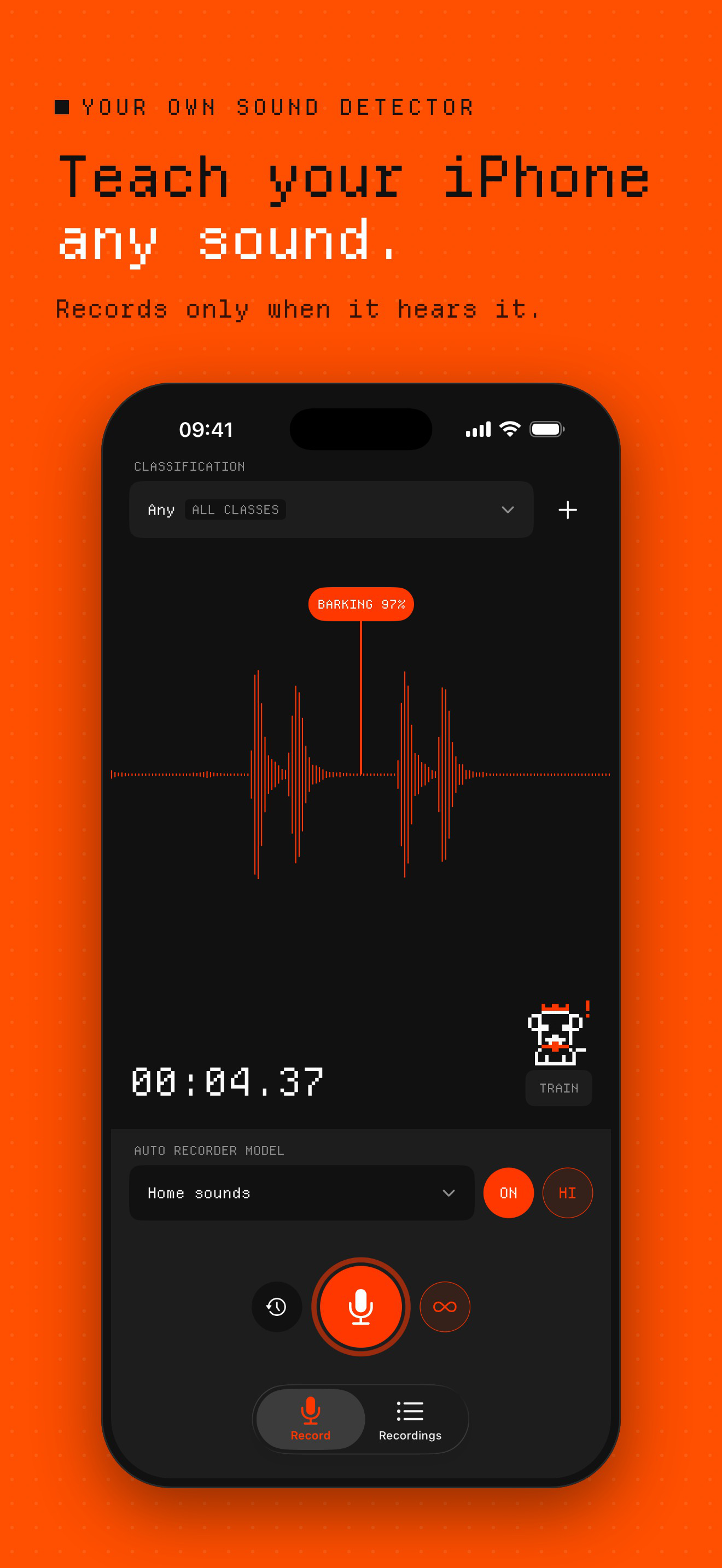
Annotate Audio is an iPhone app that trains your own machine-learning sound classifier: record a few examples of a bark, a snore or a cough, and the model listens and records only those sounds.
Longer
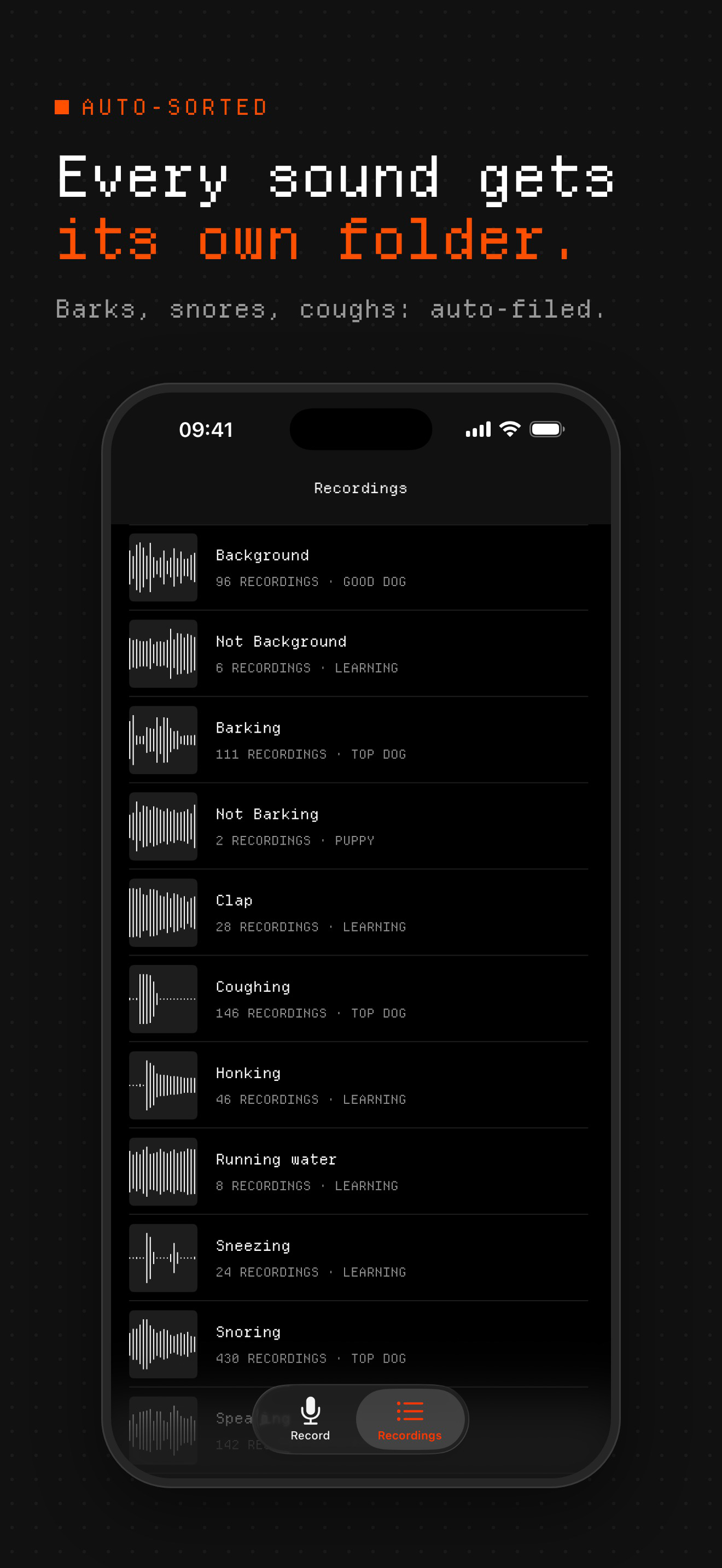
Annotate Audio teaches an iPhone to recognise the sounds its owner cares about: a dog barking, a snore, a cough, a baby crying, a doorbell. Each sound gets its own folder, and every recording in it is a labelled example. Five recordings each of two sounds are enough to train a first model, and a “Not …” folder with the other sounds of the room teaches it the difference.
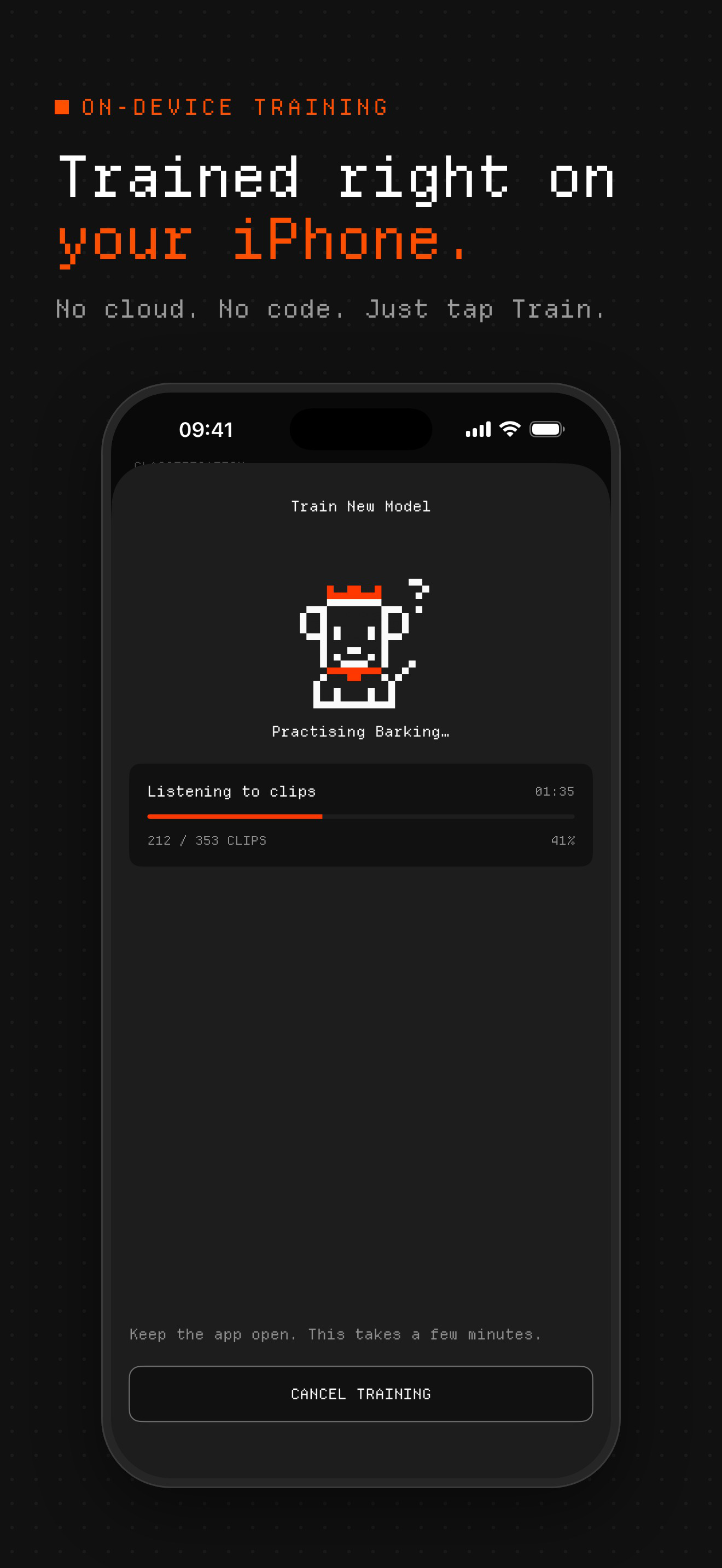
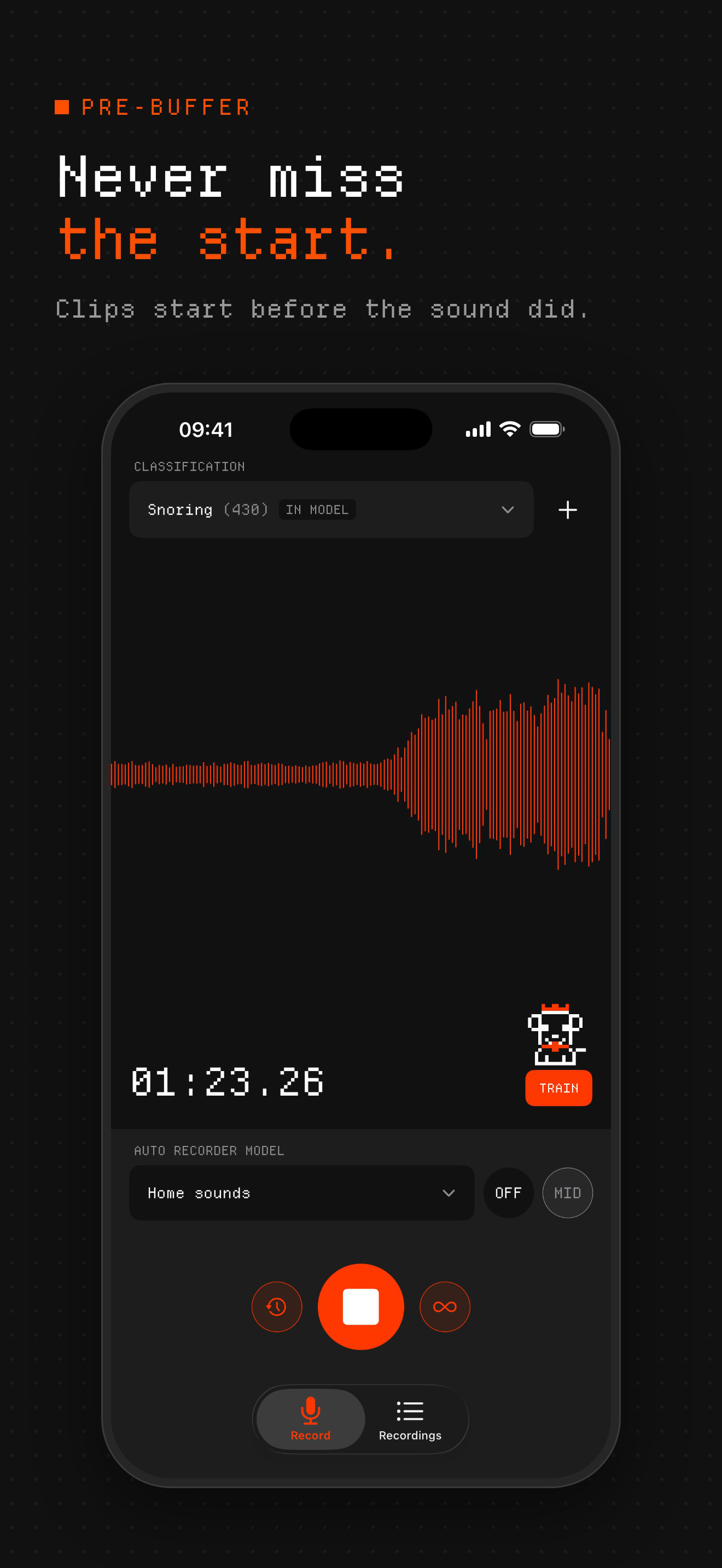
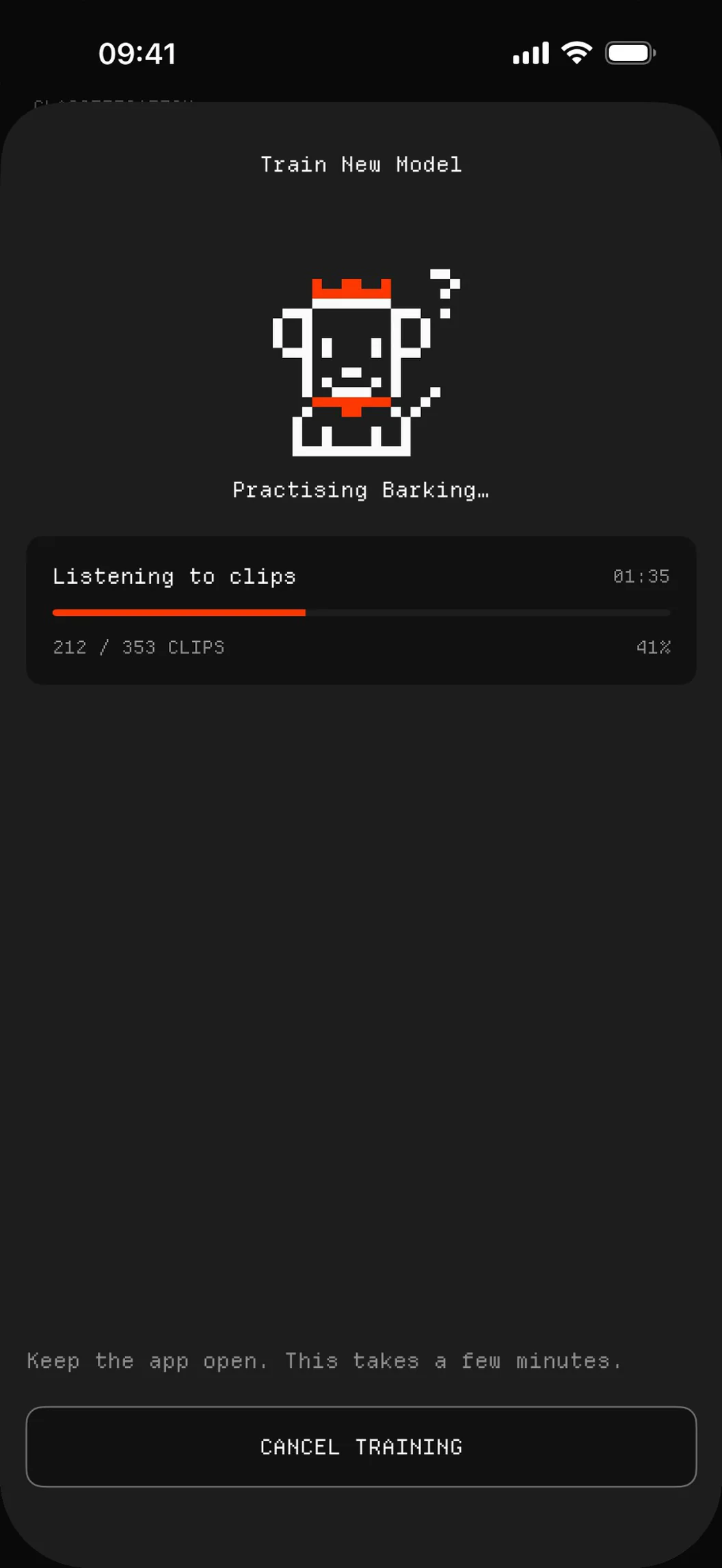
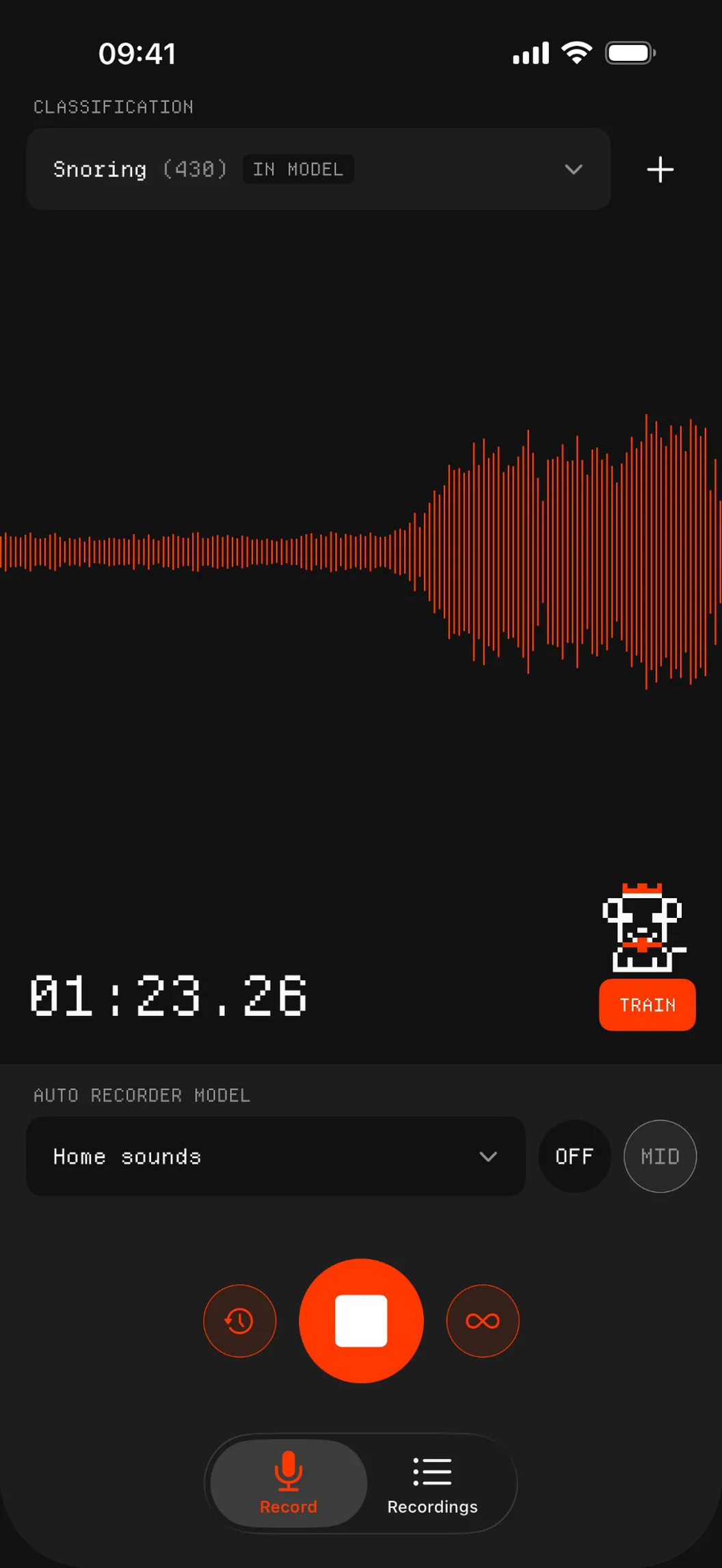
Training happens on the iPhone itself, with Apple's Create ML, in a few minutes and without writing code. The finished Core ML model then listens live and records a clip every time it hears one of the trained sounds, filed into that sound's folder. A rolling pre-buffer means every clip starts before the sound did, so it can listen overnight or while nobody is home without leaving hours of silence to scroll through.
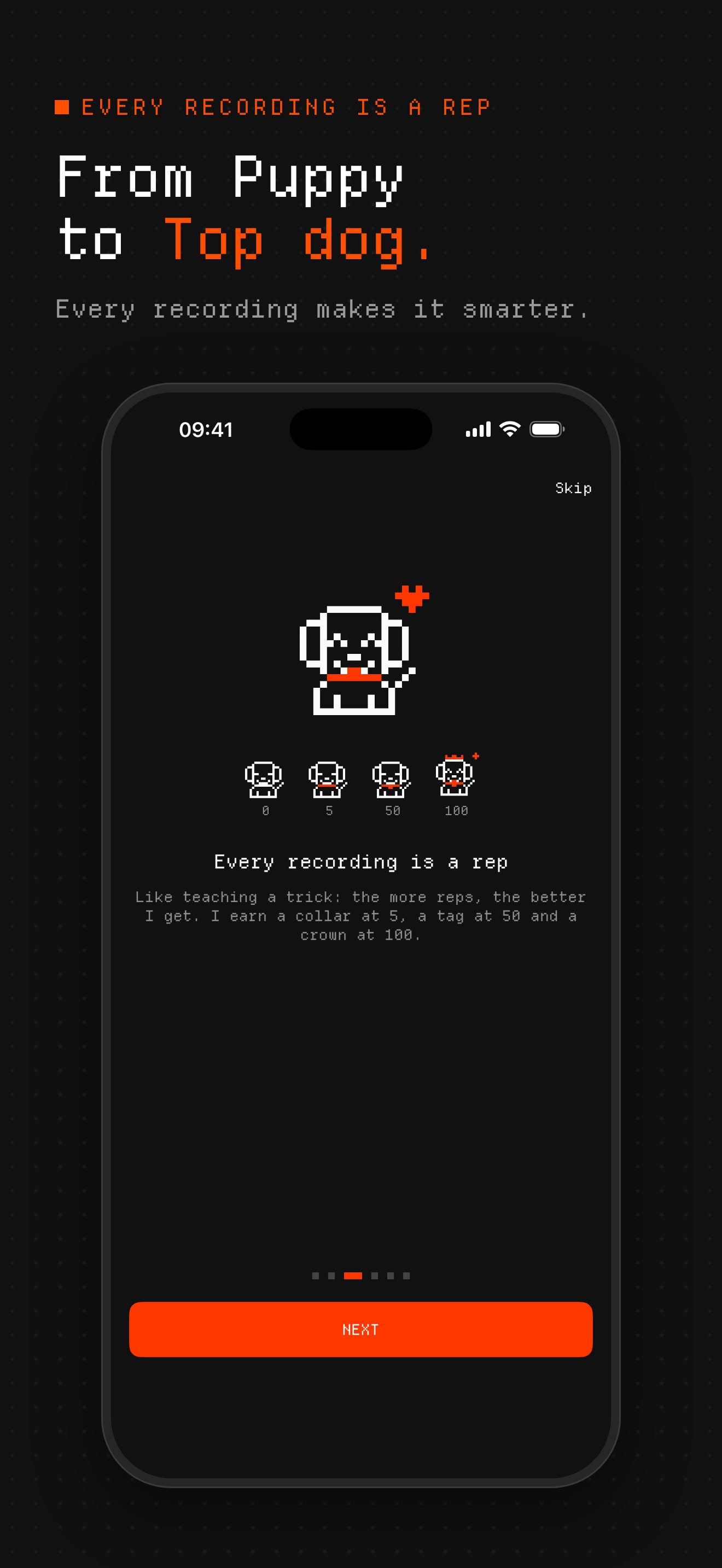
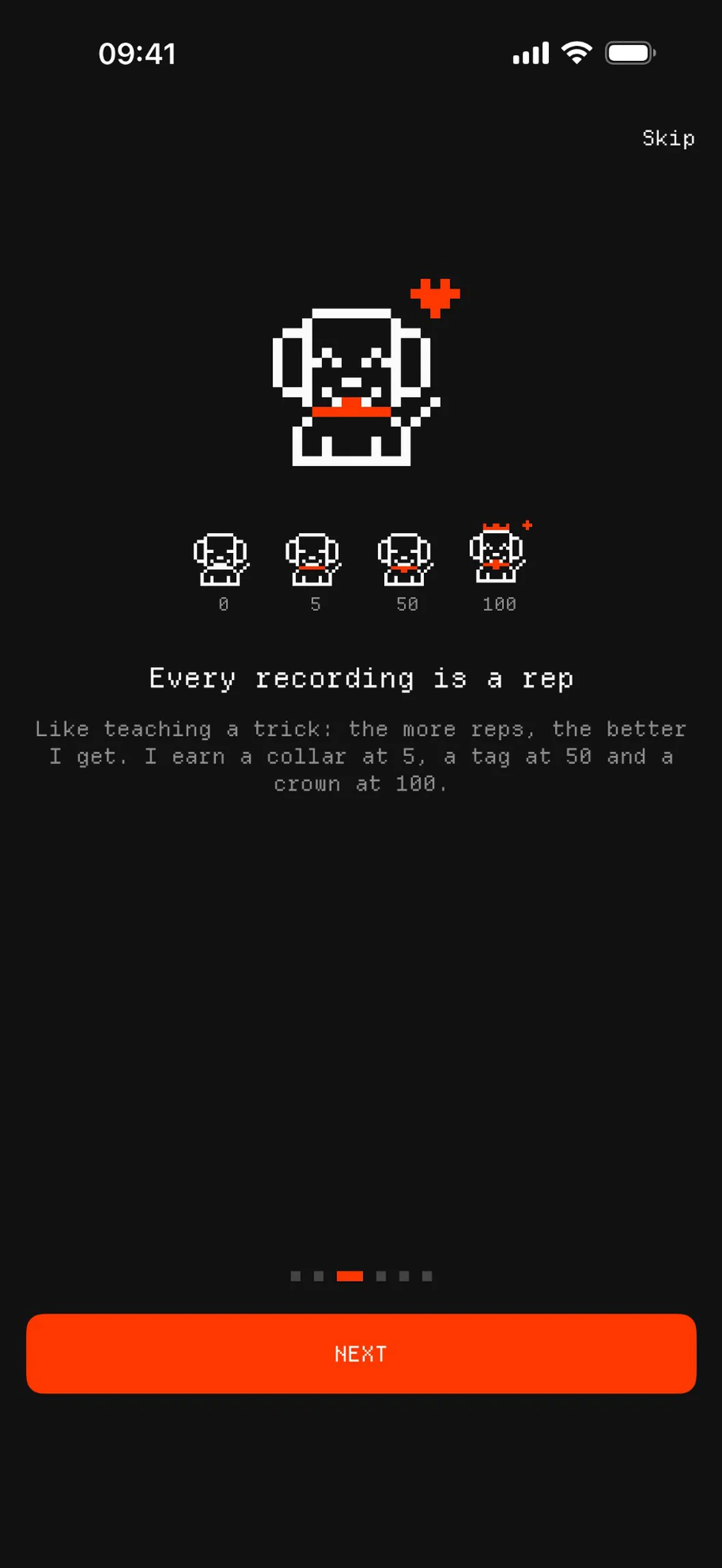
A pixel pup trains alongside: every recording is a rep, and it levels up from Puppy to Learning, Good dog and Top dog, earning a collar at 5 reps, a tag at 50 and a crown at 100. For makers and researchers, the app doubles as a quick way to collect and label audio datasets in the field and export them, laid out for Create ML on a Mac.
Features
- Trains custom machine-learning sound classifiers on the iPhone with Create ML
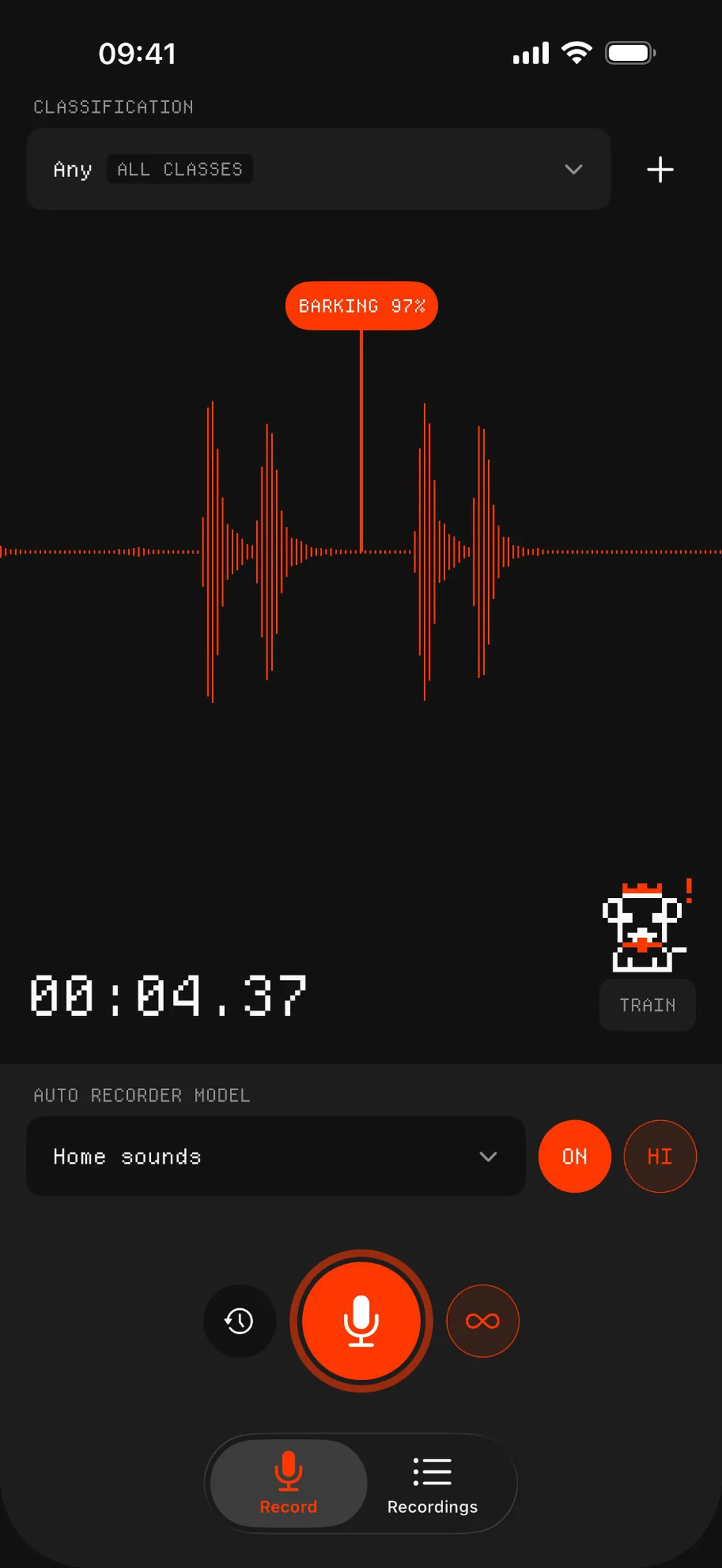
- Auto record: the trained Core ML model listens and records only the sounds it was taught
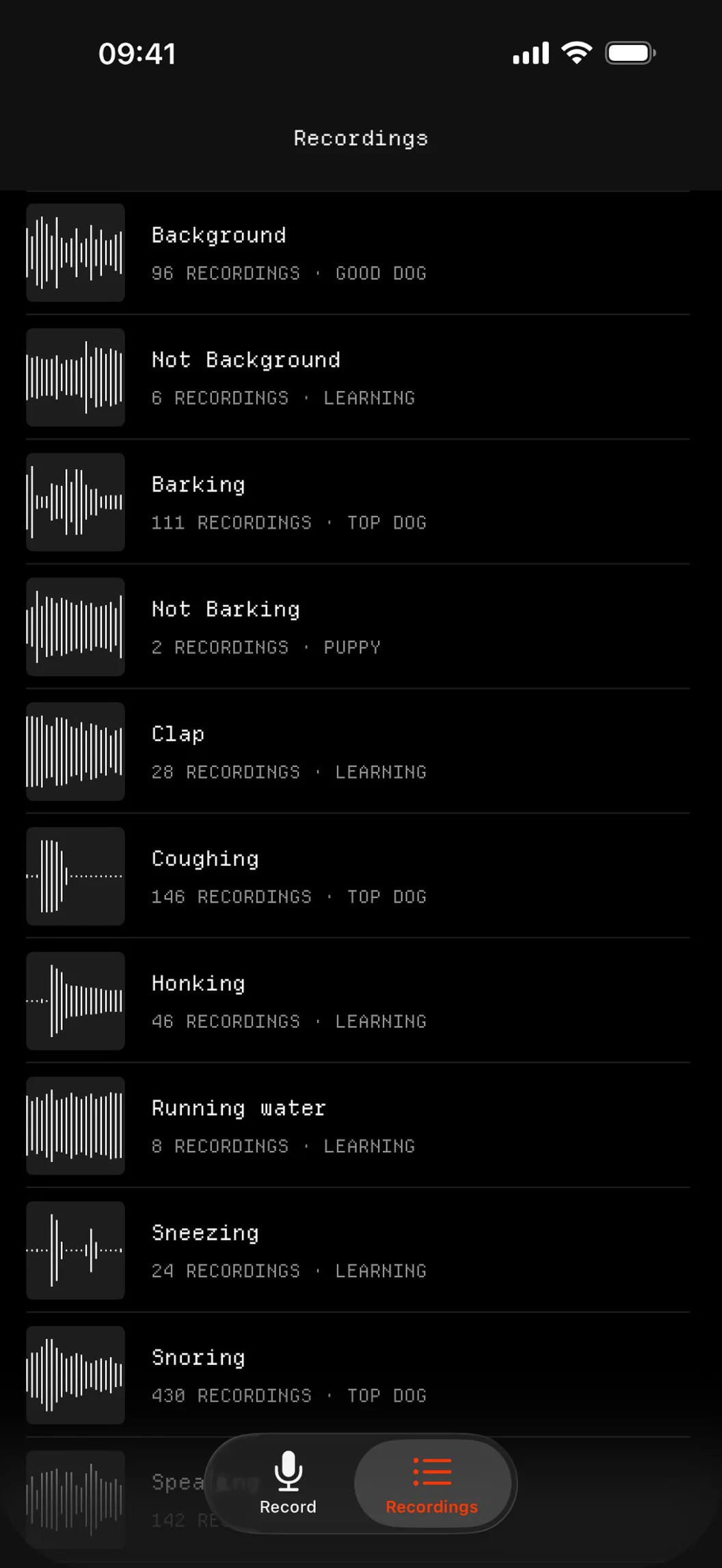
- One model can know several sounds and files each clip in that sound's folder
- Confidence threshold of 85, 90 or 95 % before it records
- Pre-buffer, so every clip starts before the sound did
- Manual recording, open-ended or 5 seconds, with a live waveform
- Keeps listening in the background and dims the screen when the phone lies face down
- iCloud Drive sync of recordings and models, and ZIP export with a Create ML training layout
App icon and mascot
Please use the app icon and the pixel pup as they are, without changing their colours or proportions.


App Store screenshots
The iPhone set with captions.
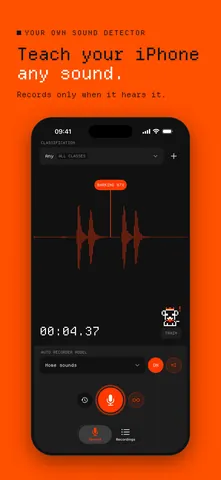 01 · Teach your iPhone any sound1320 × 2868 PNG · 761 KB
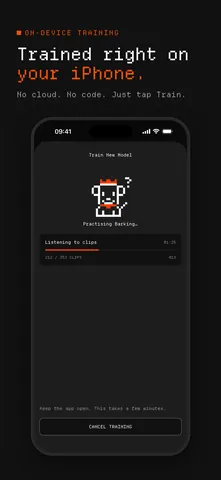 02 · Trained on your iPhone1320 × 2868 PNG · 353 KB
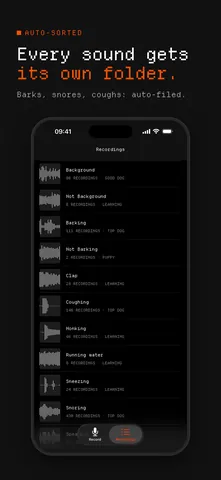 03 · Every sound, its own folder1320 × 2868 PNG · 485 KB
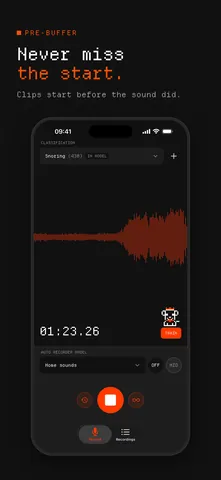 04 · Never miss the start1320 × 2868 PNG · 483 KB
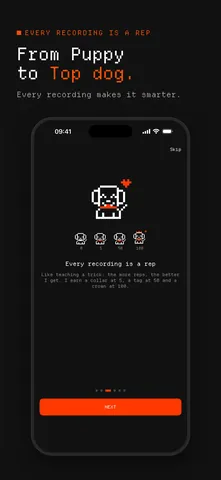 05 · From Puppy to Top dog1320 × 2868 PNG · 386 KB
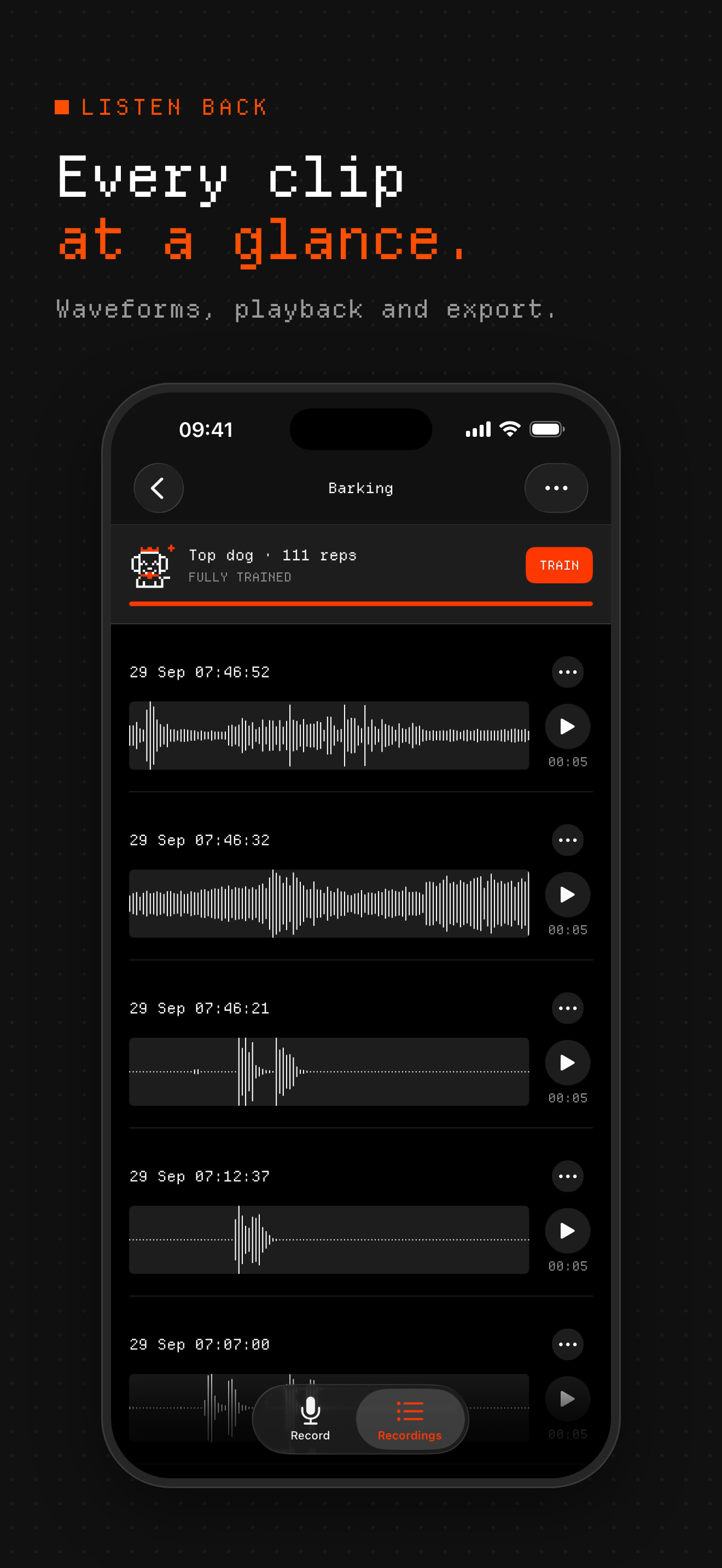
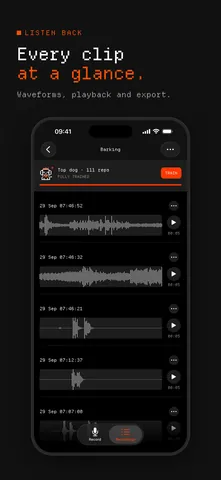 06 · Every clip at a glance1320 × 2868 PNG · 497 KB
App screens
The same screens without captions.
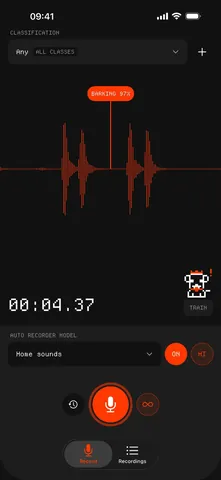 Auto record catches a bark (97 %)1056 × 2294 PNG · 313 KB
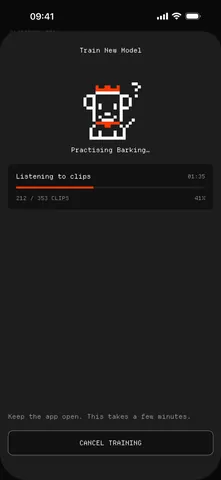 Training a model on the iPhone1056 × 2294 PNG · 134 KB
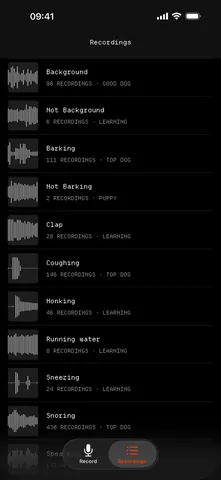 Recordings, one folder per sound1056 × 2294 PNG · 286 KB
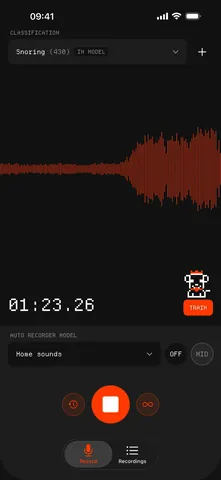 A snore, recorded with the pre-buffer1056 × 2294 PNG · 307 KB
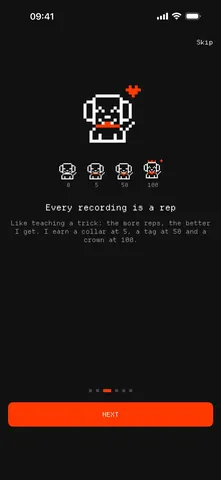 Every recording is a rep1056 × 2294 PNG · 178 KB
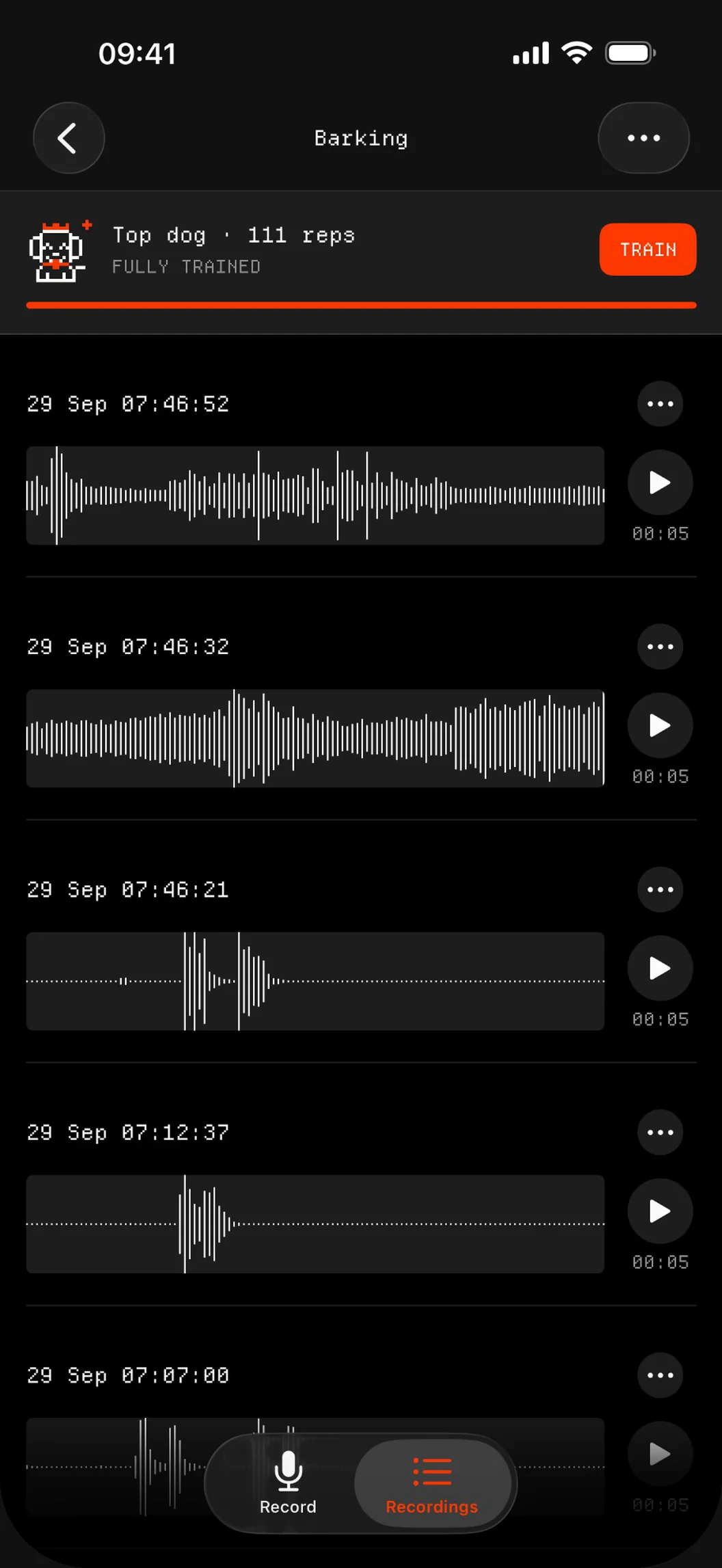
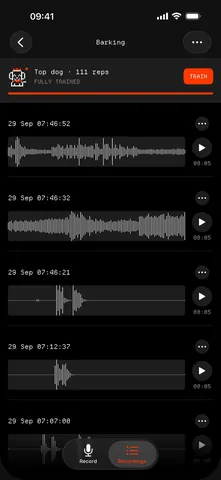 The Barking folder, clip by clip1056 × 2294 PNG · 304 KB
About the developer
Annotate Audio is made by Marco Lüthi, an independent developer in Zürich who builds apps for iPhone and Mac. For interviews or anything else, write to hi@luthi-mar.co. More apps are on the overview.